So, what can StoryTribe do?
Script, boards, shot list and video in one project. Explore any feature below to see it in action or learn how it works.
What's new
All release notes →Share your storyboard to socialSend your shots straight to Instagram, WhatsApp, or anywhere, from your phone or tablet.Save your video to your phoneDownload your storyboard video straight to Photos, or share it to social.All your download options, now on mobileThe phone Download menu now has every layout desktop has.
Write
The script is the source; the board follows it.
 Script editorNewScreenplay formatting that stays in sync with your shots.Learn more →Script importBring in Final Draft, Fountain, Word or text files as written, and review before it lands.In Help › ScriptWrite a script with AIDescribe your idea and get finished pages back, in your language, exactly where you want them. In Help › ScriptScript blocksNewAction, dialogue, captions, notes and lyrics, each keeping its screenplay shape.In Help › ScriptScript exportNewLeave as a screenplay PDF, Word, plain text, Final Draft or Fountain.In Help › Script
Board
Shots, scenes and everything that appears in them.
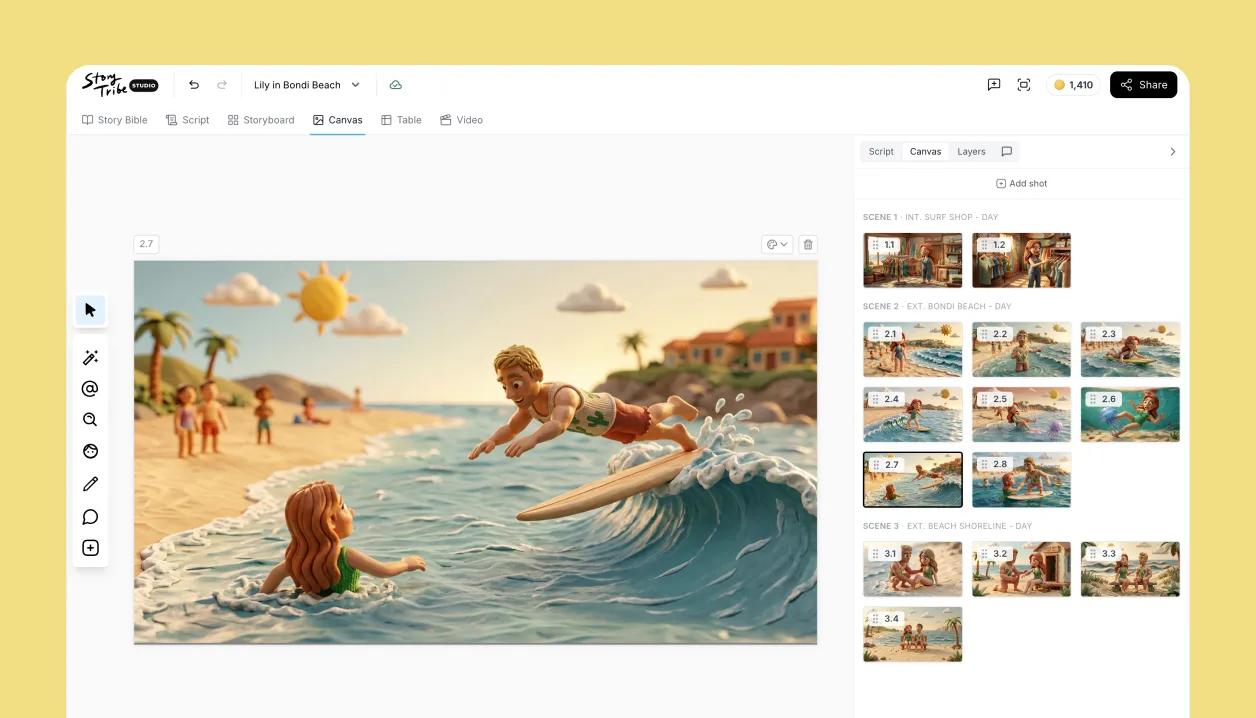 Canvas EditorCompose each shot from characters, props, backgrounds and your own drawing, every piece its own layer.Learn more →
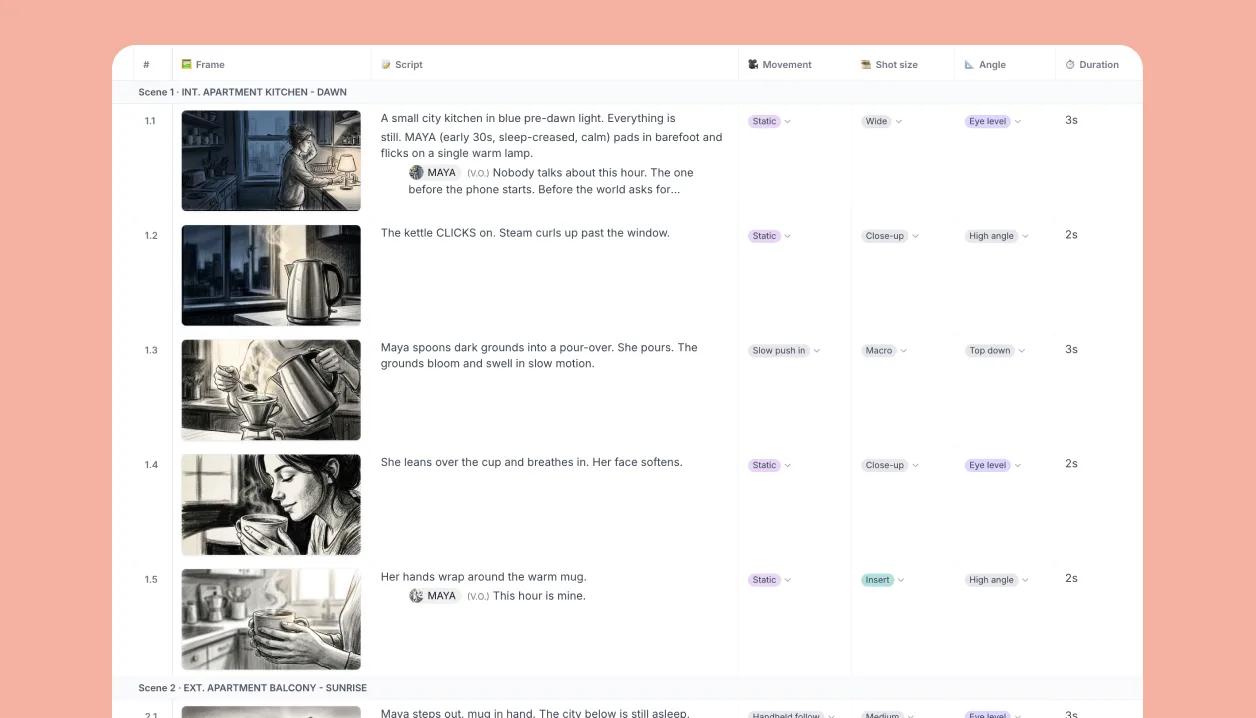 Shot listNewEvery shot as a row in a table: size, angle, cast, location and your own properties.Learn more →
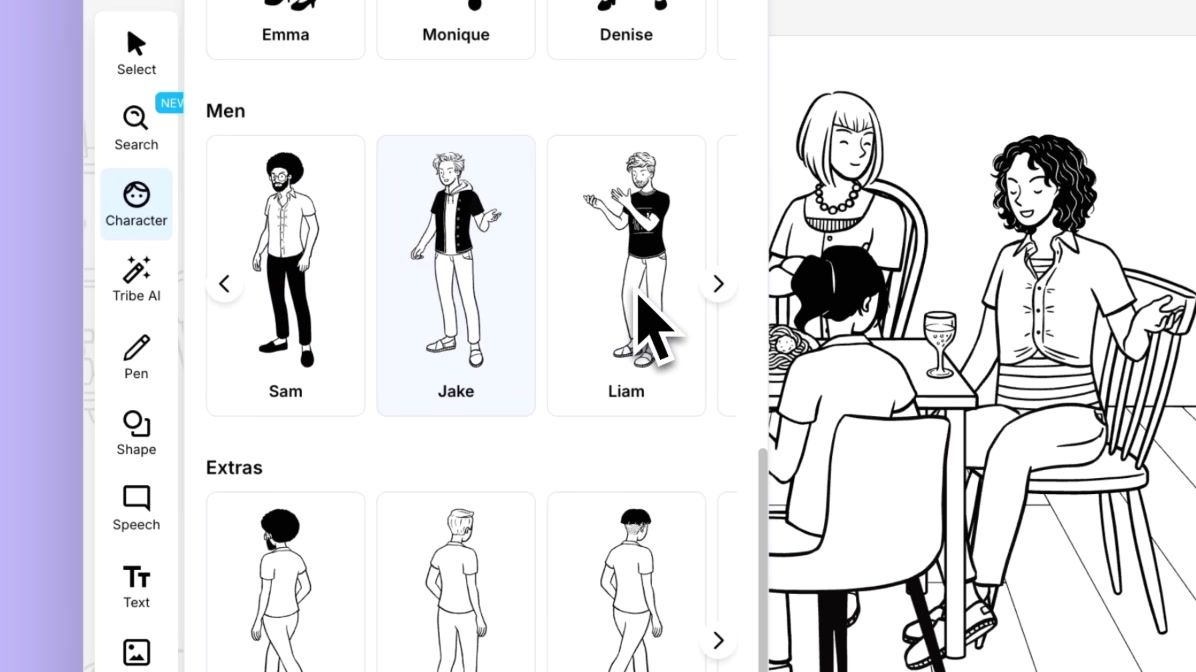 CharactersPose and customise the built-in characters, or add your own.Learn more →Scenes and shotsShots grouped by scene, renumbered as you reorder.In Help › Storyboard editorBackgrounds and propsSearch one library of backgrounds, props, templates, icons and images.In Help › Storyboard editorShot propertiesNewShot size, angle, cast, location and your own custom properties on every shot.In Help › Shot list and pre-production
Generate
AI that produces layers you can keep editing, not flat pictures.
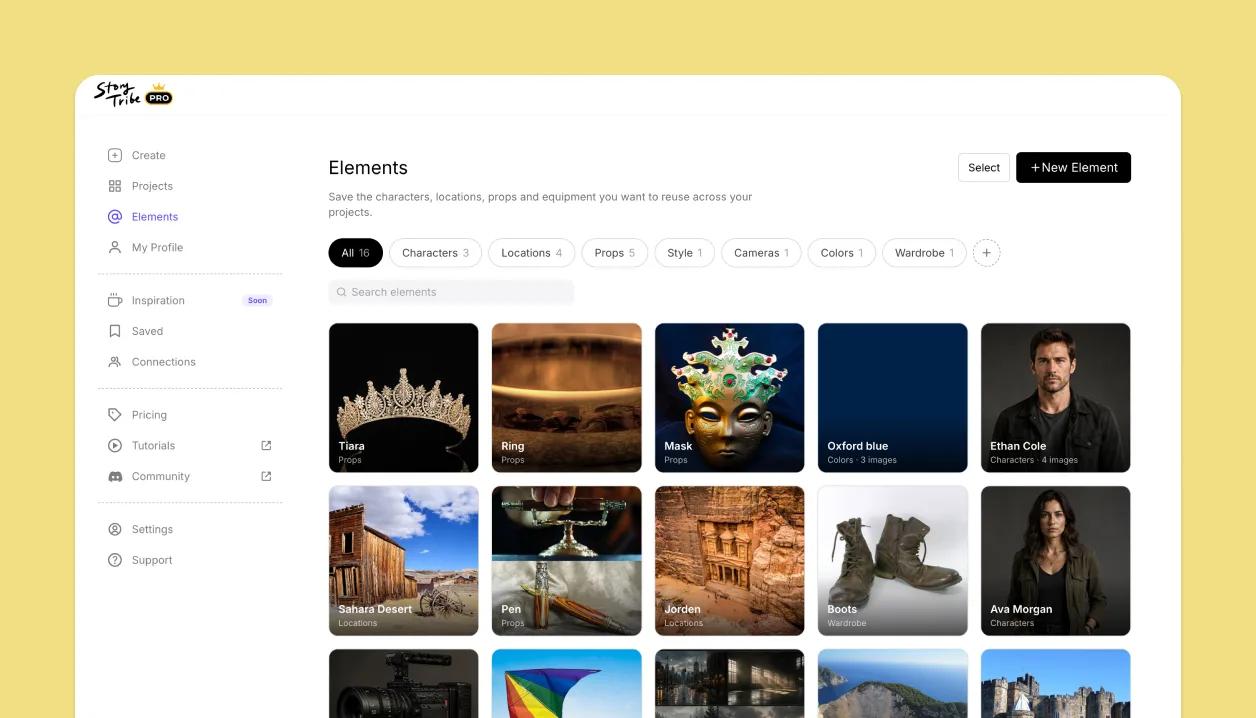 ElementsOne library of characters, locations and props, reused across every shot and every project.Learn more →
 AI imagesGenerate a shot from the script or a prompt, split it into layers and keep editing.Learn more →Magic EditChange the angle, swap the background, relight or erase, in place.In Help › AI tools and creditsAI modelsPick the model per shot; the credit cost shows before you run.In Help › AI tools and creditsStylesBuilt-in, custom and saved styles keep a project consistent.In Help › AI tools and credits
Present and share
From board to animatic, PDF, book or a link.
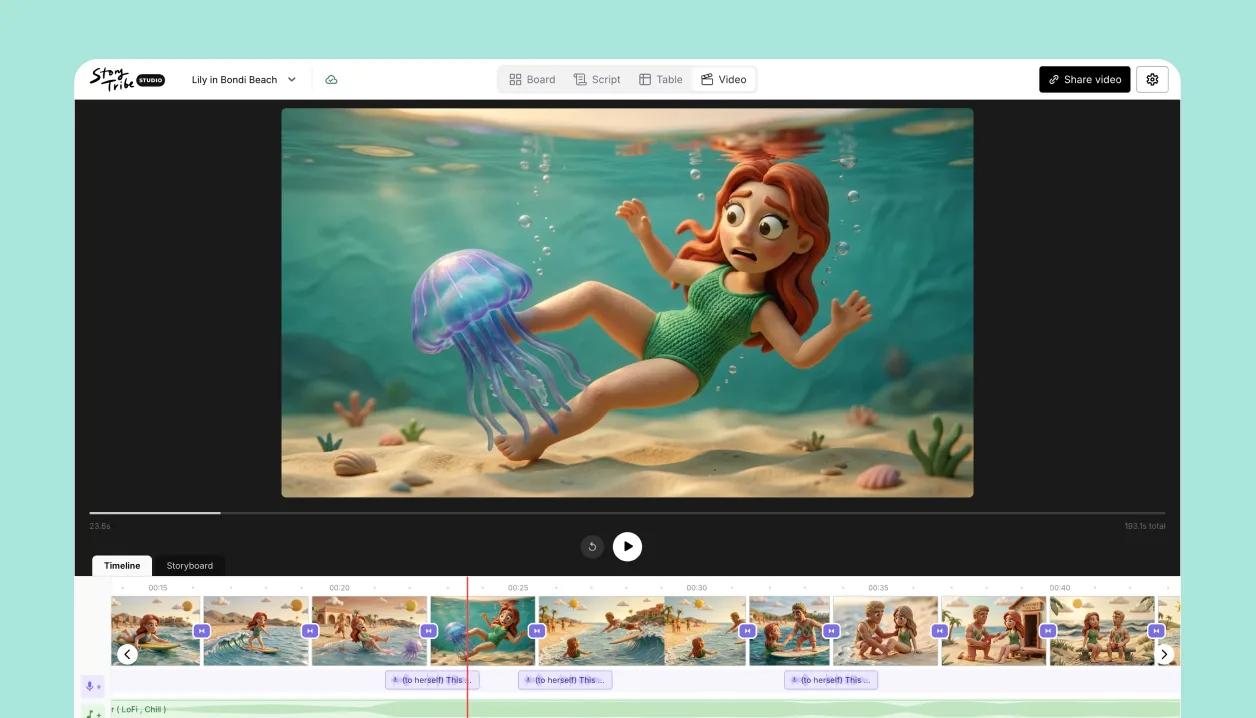 Video editorTurn the board into an animatic with timing, voice-over, music and a transition per cut.Learn more →
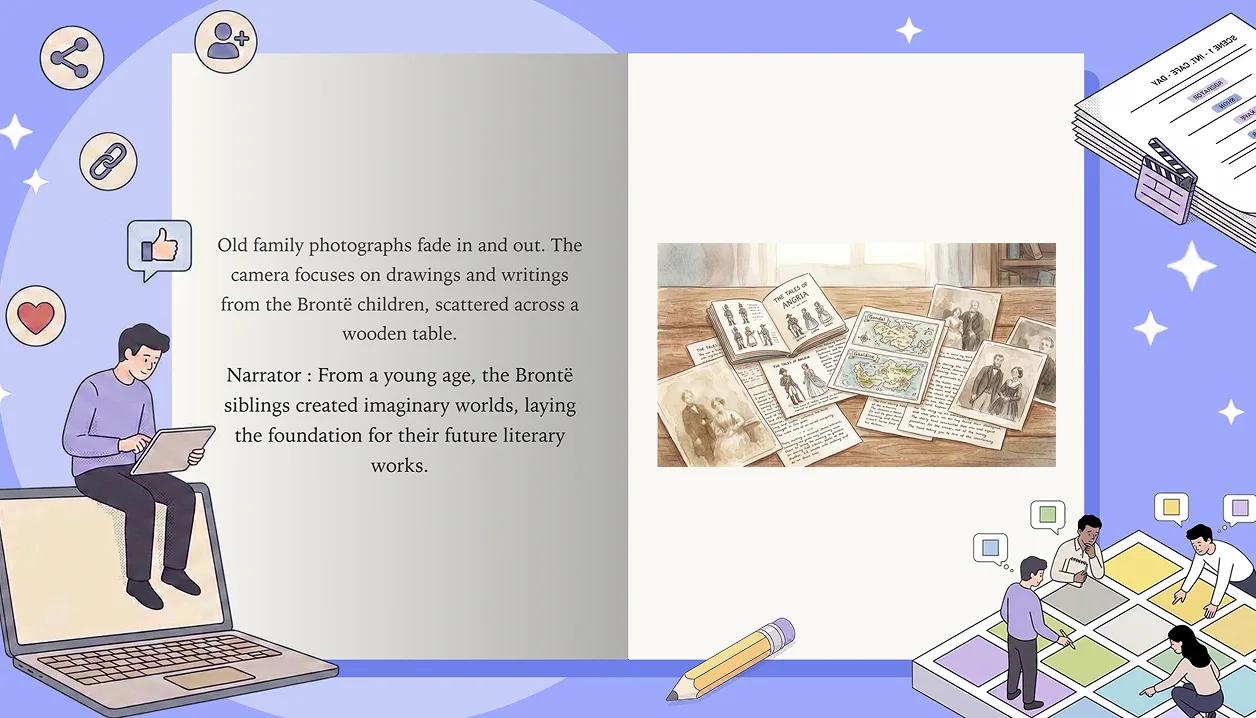 Publish as a bookNewYour shots and script as a page-turning book, on desktop and mobile.Learn more →
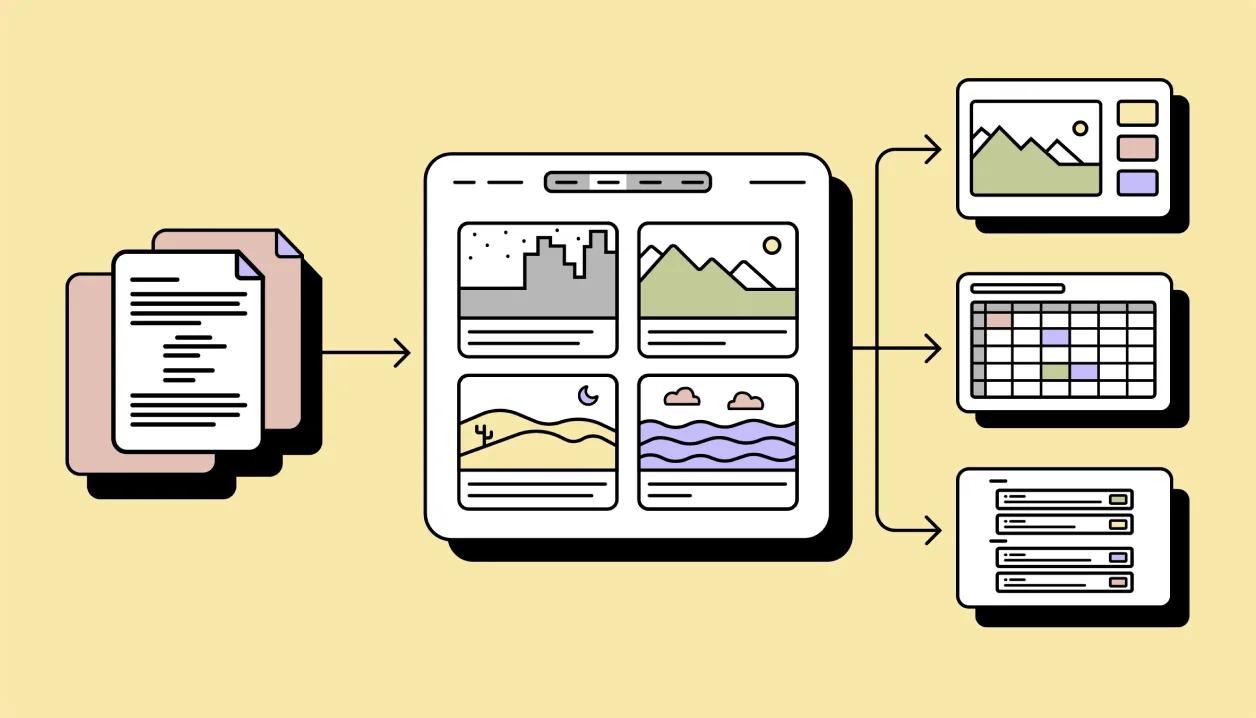 Import and exportScripts in from Final Draft, Fountain, Word or text; boards out as PDF, PowerPoint, spreadsheet or video.Learn more →Share linksPublic or unlisted pages for clients; no account needed to view.In Help › Publish and exportBook coverNewA cover for every project: photo, solid colour or aura.In Help › ProjectsPublic profilePublish to your own profile page and share it as a portfolio.In Help › Community
Collaborate
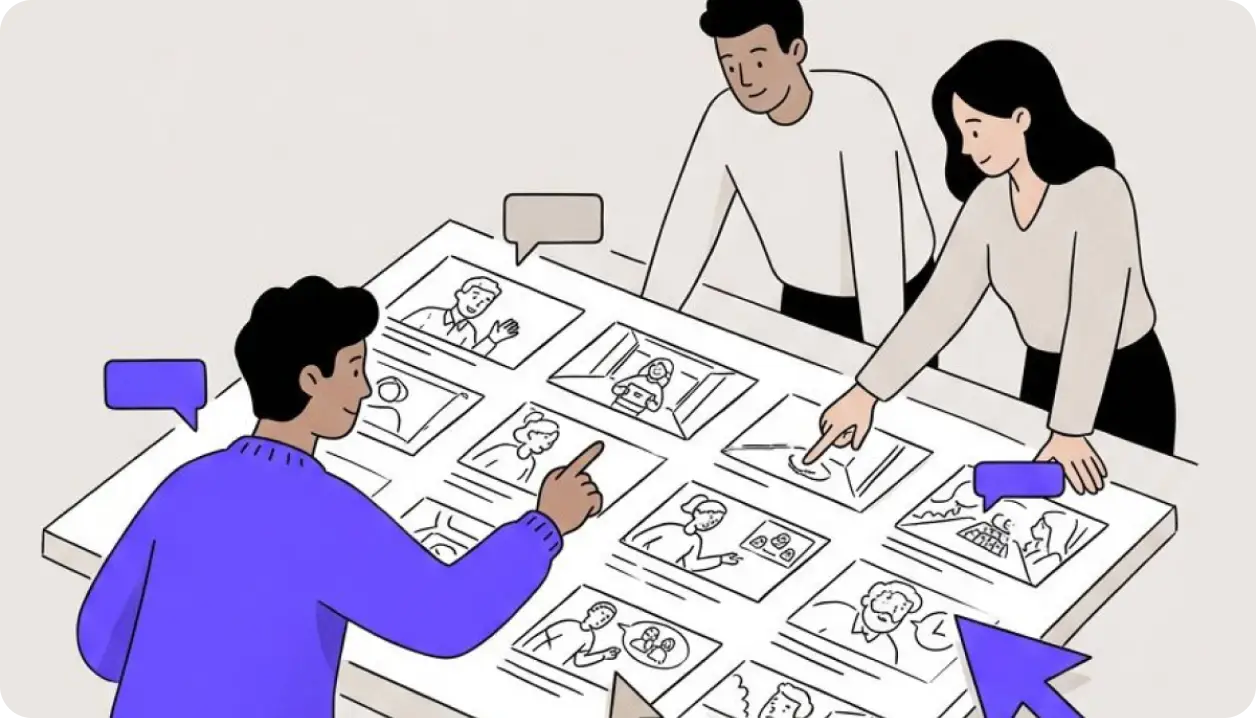
Team, clients and reviewers in one place.
Anywhere
Same project on every screen.
Start with 100 free credits a month
No card needed. Upgrade when the project needs it.