Your public profile
Every account has a page at storytribe.com/@username showing your photo, name, bio, links and the projects you've published as Public. Visitors can follow you from there.
Last updated Aug 29, 2026
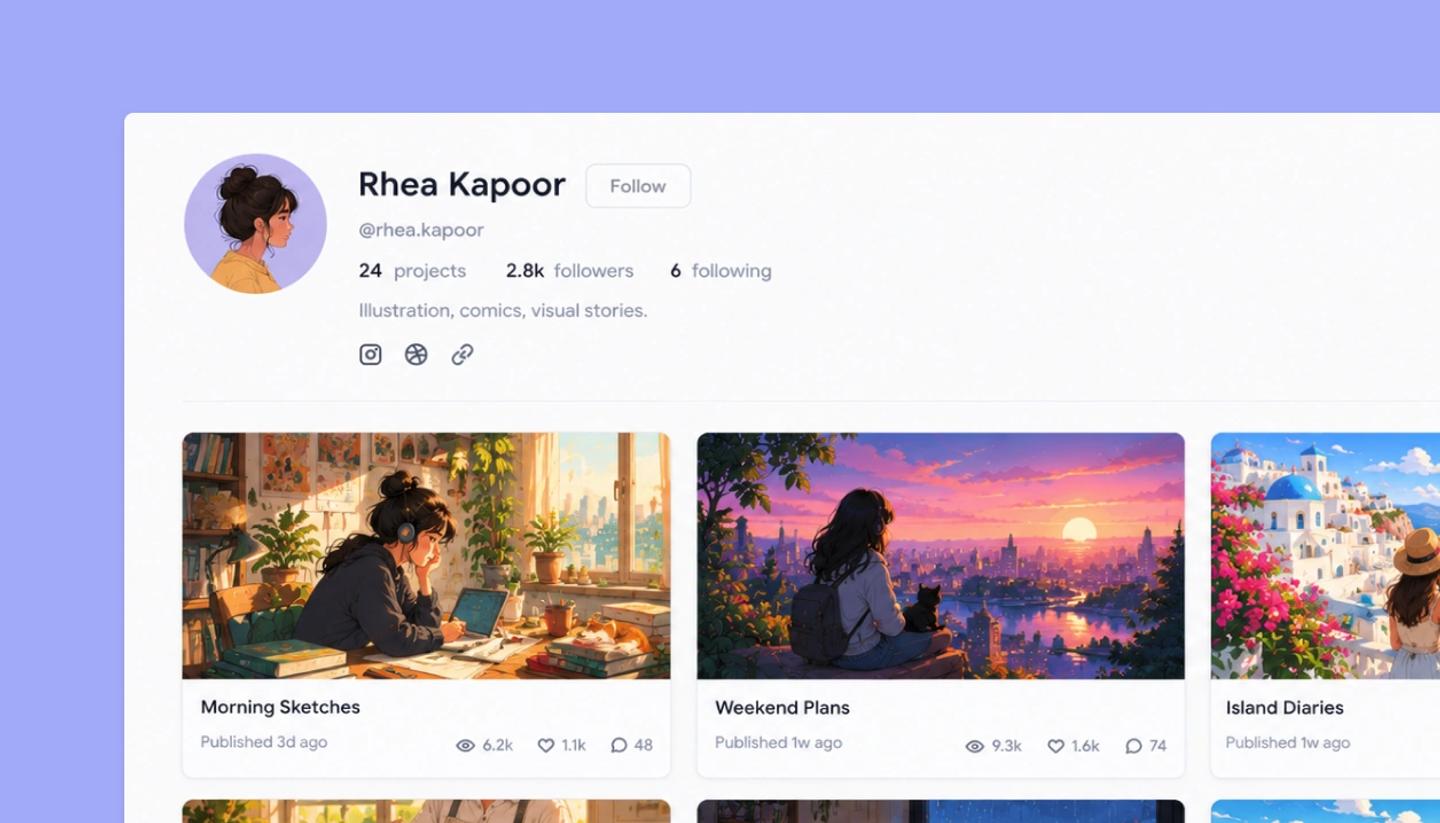
Your profile is the public face of your account. The header shows your avatar, display name and @username, three counts (projects, followers, following), your bio and any social links you've added. Below it is a grid of your Public projects, each with its cover and a Published date. Until you publish something, the profile will display no projects.
What you see versus what visitors see
- On your own profile the header has
Edit Profile(opens Settings › Profile) andShare Profile(copies the link). - Visitors get
Followinstead (it becomes Following). Signed-out visitors can look, but following requiressign in - Only Public projects are listed. Unlisted pages and everything unpublished stay off the profile, and workspace projects never appear.
Your link
The address is storytribe.com/@ followed by your username. Changing your username changes the link, so pick one you'll keep before putting it in a bio elsewhere.
Common questions
Need more help?
Send us a message. We reply within 3 days, usually sooner.