Edit your profile
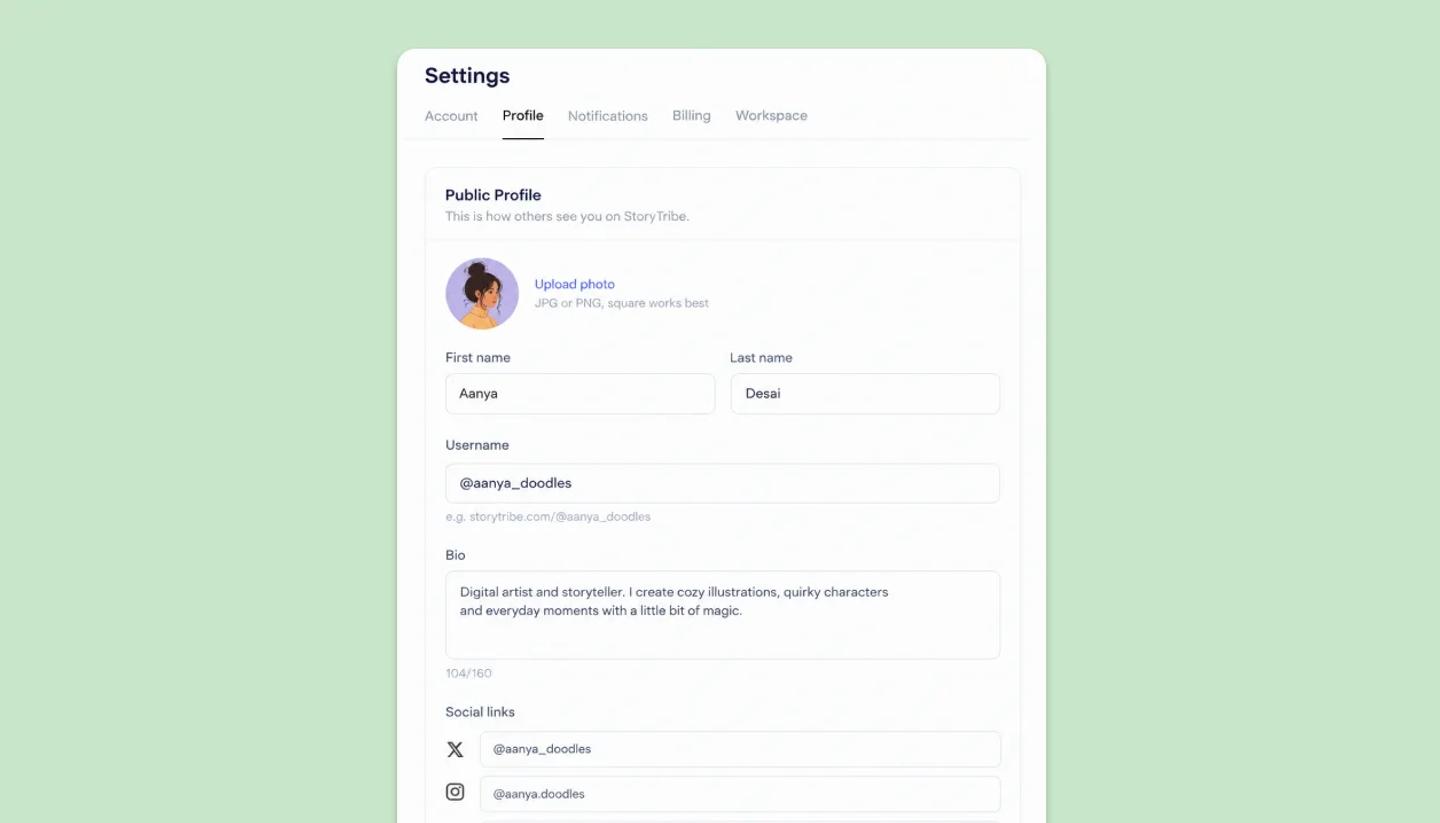
Settings › Profile holds your photo, first and last name, username, a 160-character bio and social links. Changes show on your public page straight away.
Last updated Aug 29, 2026
- Open
Settingsfrom the left menu and choose theProfiletab, or clickEdit Profileon your profile page. - Click
Upload photofor an avatar; without one you get a colored circle with your initial. - Fill in
First nameandLast name, shown together as your display name. - Choose a
Username: 3 to 30 characters, lowercase letters, numbers and underscores only, so no spaces, capitals, dots or @. You profile page will look like: storytribe.com/@yourname. - Add a
Bio(up to 160 characters, with a counter) and your social links: Twitter, Instagram, LinkedIn, TikTok, YouTube and a website. ClickSave change.
Was this article helpful?
Need more help?
Send us a message. We reply within 3 days, usually sooner.