Account settings
Settings › Account shows your account name and email, lets you change your password, and holds Log out and Delete account. Profile details (photo, username, bio) live on the Profile tab.
Last updated Aug 29, 2026
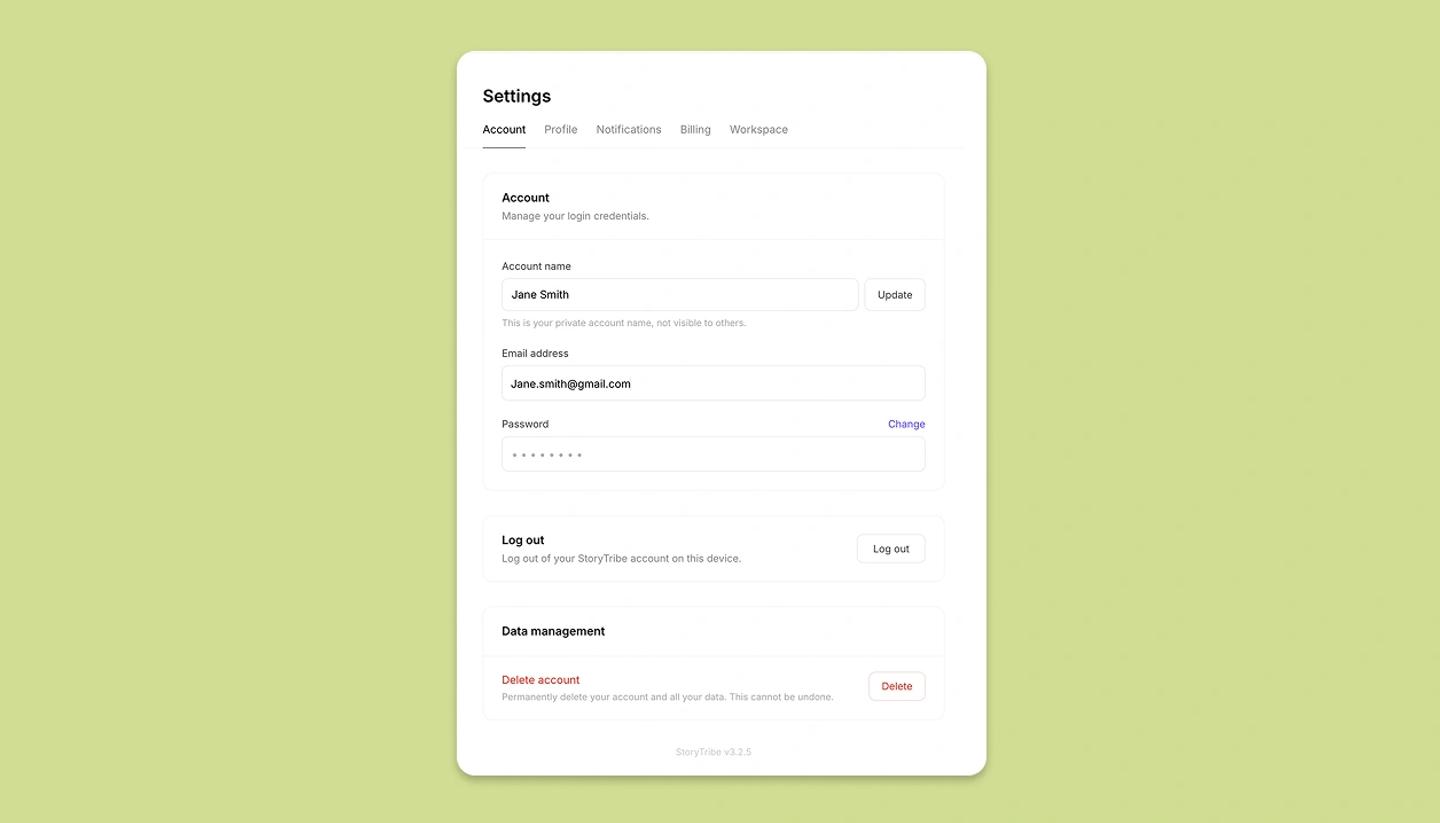
- Open Settings from the menu on the left (on a phone, from the main menu). The tabs are Profile,
Account, Notifications, Billing and, in a workspace, Workspace. - On Account, edit
Account nameif you like.Email addressis shown but can't be edited here. - Below are the password fields (or, for Google accounts, a note that the account is linked with Google), then Log out and Delete account.
What isn't here
- Language: the app is in English only for now; there's no language setting.
- Theme or editor preferences: none yet.
- Data export: to take everything with you, export each project (PDF, images, script, shot list) from its Share › Download.
Common questions
Was this article helpful?
Need more help?
Send us a message. We reply within 3 days, usually sooner.