AI Assistant
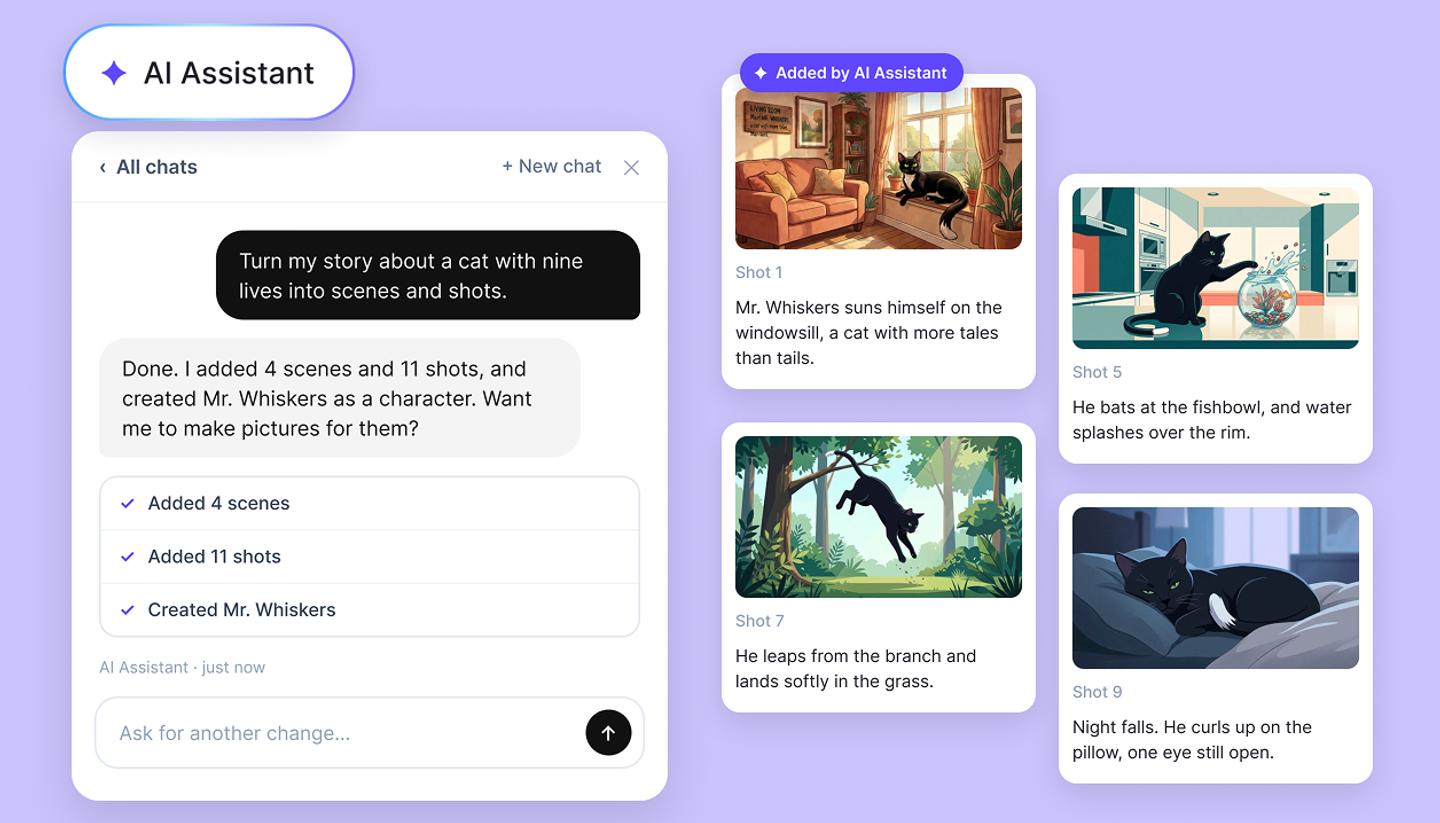
The AI Assistant is a chat panel that builds and edits your storyboard for you. Describe what you want in plain language and it adds scenes, shots, script, characters and pictures.
Last updated Nov 24, 2026
Where to find it
In a project, click AI Assistant in the footer, next to Help. On every other page, such as Home, Projects or Elements, the same button sits in the bottom-right corner. The panel opens on the right, beside your work, and you can drag its edge to make it wider.
What it can do
- Start a storyboard from an idea, or create and open projects.
- Write a synopsis, add scenes and shots, and write or rewrite the script.
- Create characters and elements, and fill in their descriptions.
- Make pictures for your shots, edit them with Magic Edit, or remove a background.
- Answer questions about your project, such as who the characters are or what could make it stronger.
Not sure where to start? Before your first message the panel suggests a few starters, like Add shots about…. Clicking one fills in the message box so you can finish the sentence. You can also attach up to 10 images by clicking the attach button, dragging them in, or pasting.
What it asks before doing
Changes on the canvas and in your shots happen straight away, and Ctrl+Z (Cmd+Z on Mac) undoes them. Anything harder to undo, like deleting or renaming a project, opening another project or editing an element, shows a card first. Click Approve or Reject, or type a message to change the plan. To stop a reply partway, click Stop or press Esc.
Your chats
Every conversation is saved. Click All chats at the top of the panel to reopen one and carry on where you left off, or click the pen icon to start a new chat. To delete a chat, click the three dots next to it in the list.
Credits and shared projects
Each message uses AI credits, and making pictures uses more. In a workspace project, the Assistant spends the workspace's credits. Outside a project, the line above the message box shows whose credits it's using, and on Home you can switch between Personal and your workspaces. Before a large batch of pictures, it checks with you first.
The Assistant follows your workspace permissions. On a project you can only view or comment on, it answers questions but doesn't make changes.
Need more help?
Send us a message. We reply within 3 days, usually sooner.