Workspace settings
Settings › Workspace is where the Owner renames the workspace, adds a description and photo, and sets links. Save changes applies them for everyone.
Last updated Aug 29, 2026
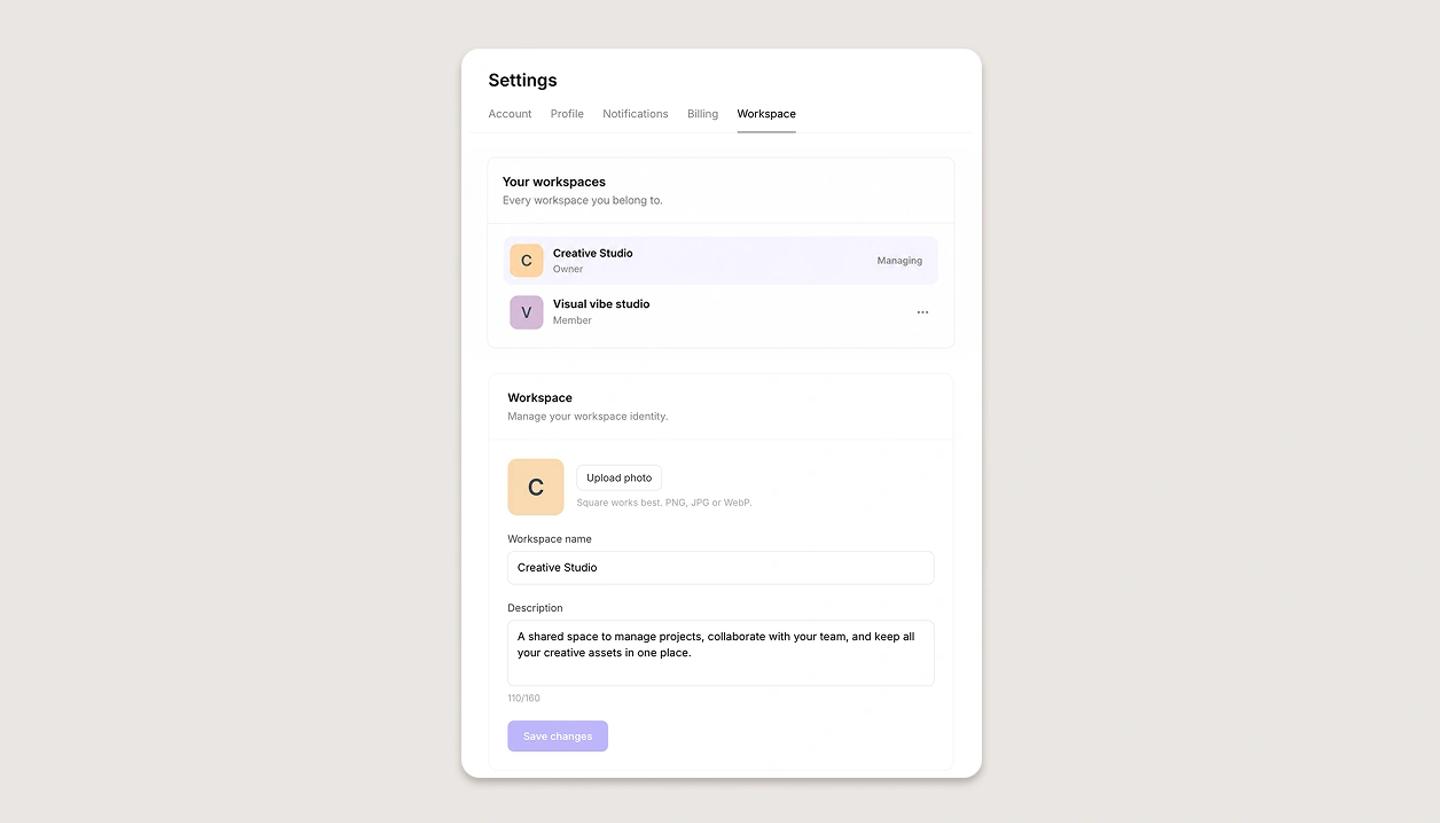
- Switch to the workspace, open Settings from the left menu and choose the
Workspacetab (Owner only). - Edit the name, a description of up to 160 characters, the photo shown in the switcher and on member invites, and any links.
- Click
Save changes.
The default access that new projects give to workspace members is set per project in its Share dialog, not here; see Default access for everyone at your workspace.
Was this article helpful?
Need more help?
Send us a message. We reply within 3 days, usually sooner.