Adding your own characters
Create an Element under Characters with up to ten photos or generated images, a name and a visual description. Then place it in any shot, mention it in the script, and let Tribe AI keep it consistent.
Last updated Aug 29, 2026
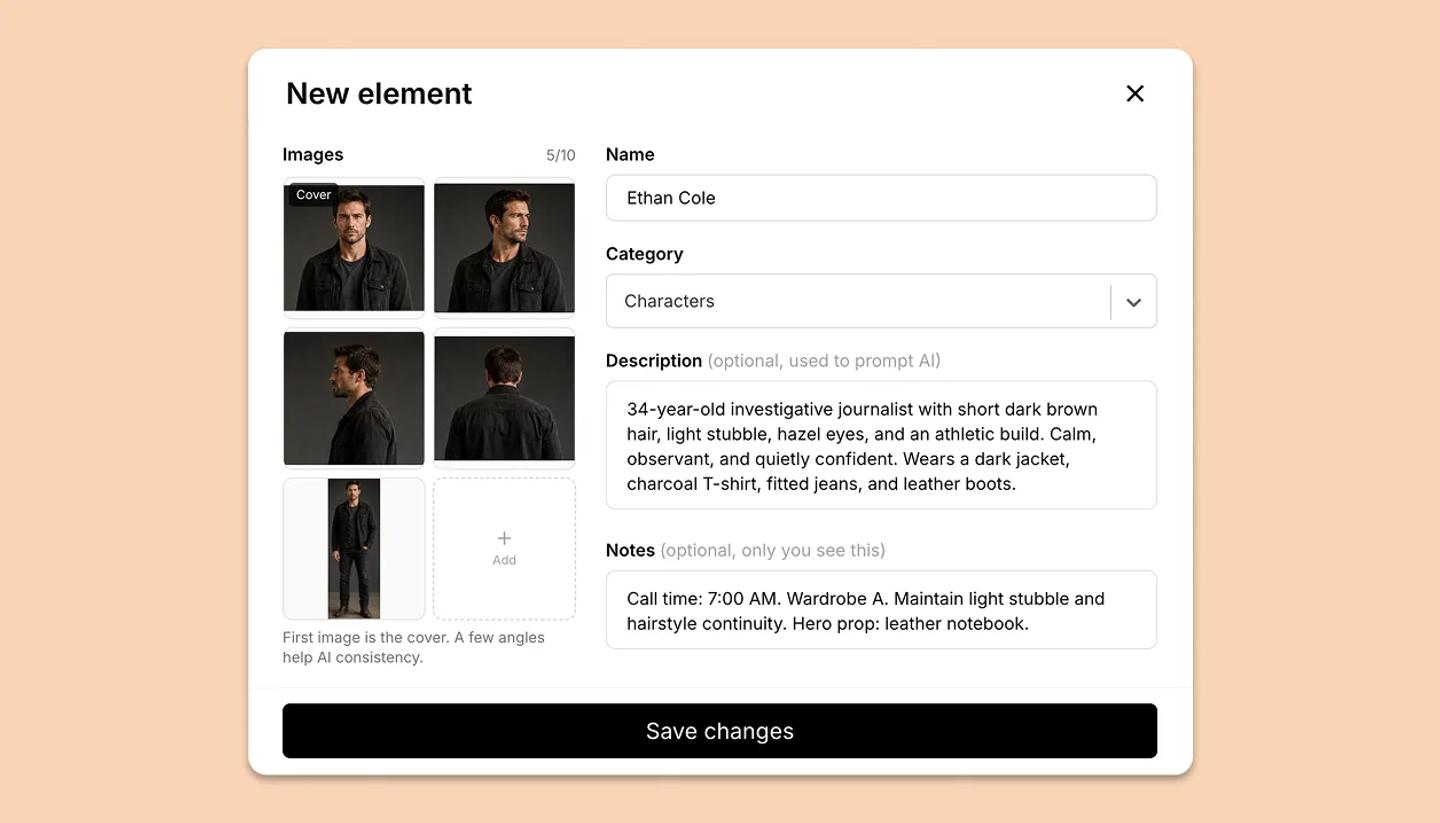
- Click
Elements(the @ icon) in the canvas toolbar, thenNew element. - Give it a
Nameand setCategoryto Characters. - Add images with
Upload(PNG, JPG, WebP or SVG),Generate(Tribe AI draws one from your description) orFrom AI history. You can add up to ten images. The first one is the cover. A few different angles help AI keep the character consistent. - Fill in
Visual description. AI uses it in prompts, for example: woman in her 20s, shoulder-length dark hair, soft smile.Notesare private.Backstoryis used only in the Story Bible. ClickCreate element. - You can use it in three ways. Place it: open the element in the Elements panel and tap an image to put it on the canvas. Mention it: type @ and its name in any script line. Keep it consistent: in Tribe AI, attach it with
Consistent elementor by typing @, so generated frames keep the same face.
Common questions
Was this article helpful?
Need more help?
Send us a message. We reply within 3 days, usually sooner.