Cancel your subscription
Settings › Billing › Cancel subscription. Your plan runs to the end of the paid period and you can reactivate any time before then.
Last updated Aug 29, 2026
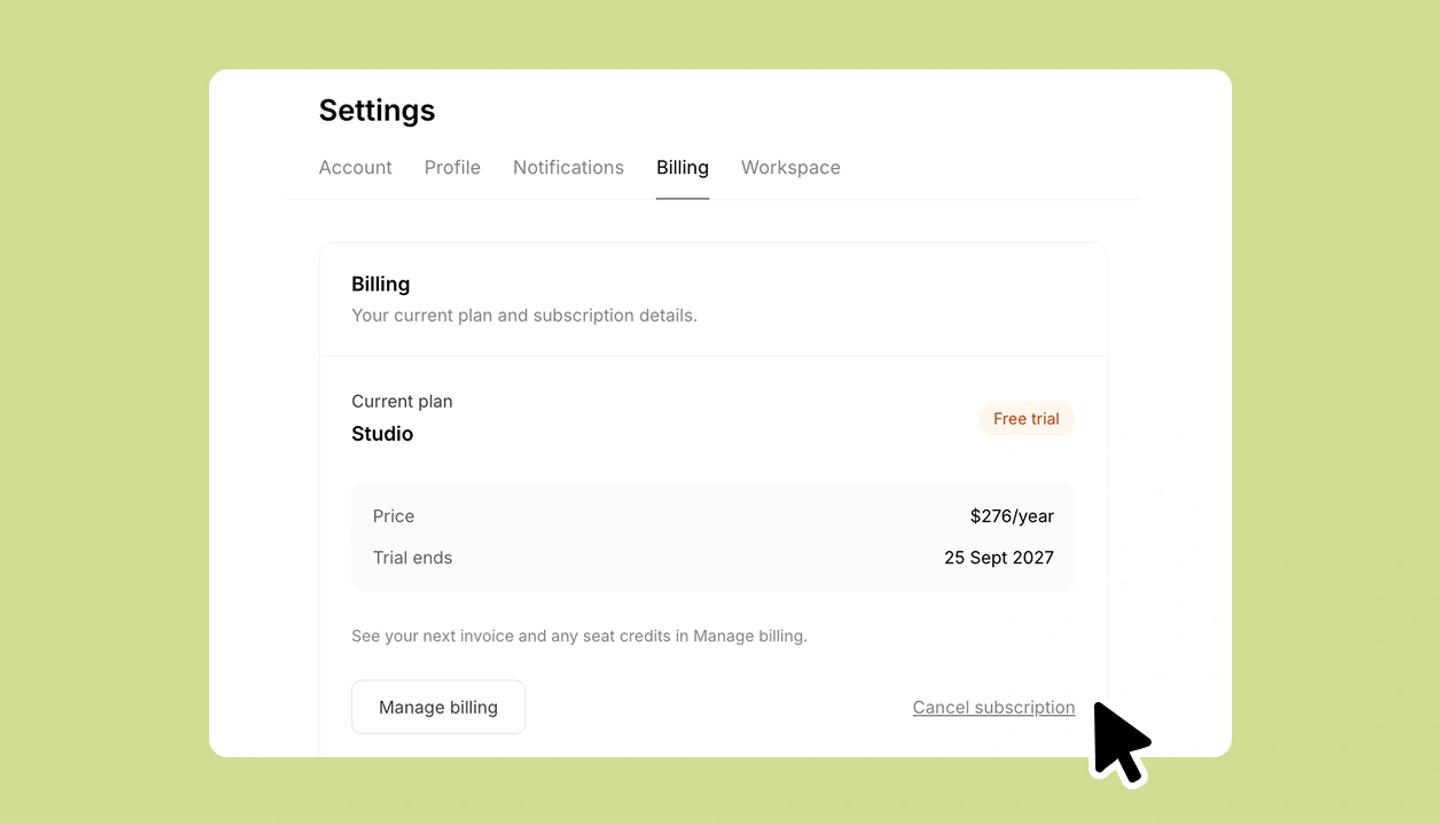
- Open Settings from the left menu ›
Billingand clickCancel subscription. Why are you leaving?Pick a reason (it helps us; it doesn't affect the cancellation) and continue.Here's what you'll loselists the plan features that stop, and offers a discount to stay (a percentage off your next renewals). Accept it, or continue.Confirm cancellation›Continue to canceltakes you to the billing portal, where you confirm once more.
What happens next
- Your plan keeps working until the date shown as Cancels on; nothing is charged after that.
- Changed your mind? Reactivate subscription on the Billing tab restores it with no gap, any time before the end date.
- After the end date you're on Free: your projects and everything in them stay, with the Free limits applied to new work. Any credits left when the plan ends expire with it, monthly and top-up alike, so use them first.
- Cancelling a Studio subscription puts the workspace into read-only for everyone until it's reactivated.
Common questions
Was this article helpful?
Need more help?
Send us a message. We reply within 3 days, usually sooner.