Your AI history
History in the Tribe AI panel (and the AI history page) keeps every image you've generated with its prompt, model, ratio and credits. Insert one into a project, reuse its prompt, or download it.
Last updated Sep 3, 2026
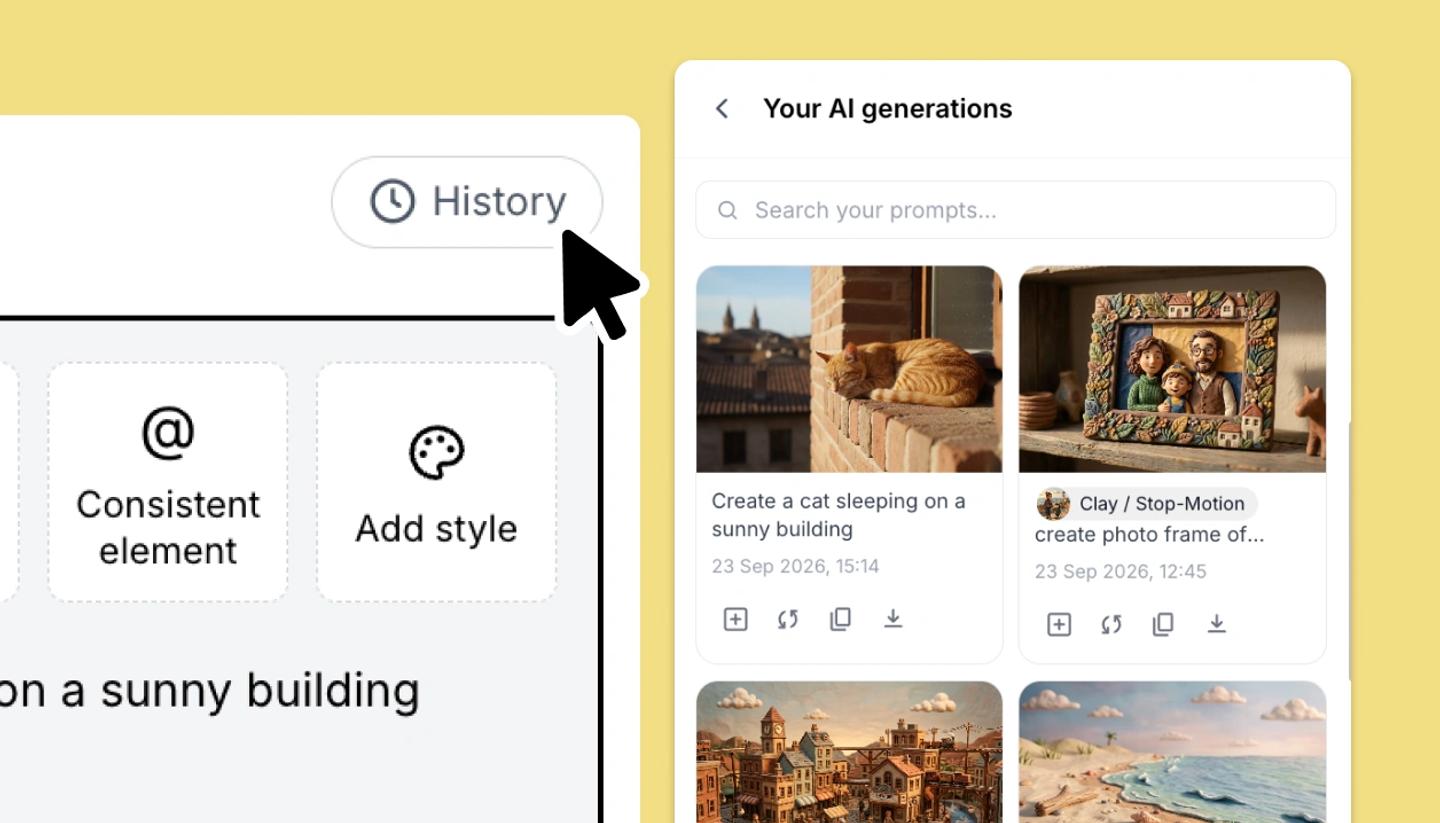
- In the Tribe AI panel click
History(Your AI generations). Search by prompt withSearch your prompts.... - On a card choose
Insert into project(places it on the current shot),Reuse prompt(loads the prompt, style and settings back into the panel),Copy promptorDownload. - Open a card to see its details:
Prompt,AI model,Aspect ratio,Credits usedandCreated.
The same history is available as a page from the dashboard sidebar, and when you build an element you can add images From AI history. History is per account and spans every project.
Was this article helpful?
Need more help?
Send us a message. We reply within 3 days, usually sooner.