Frame timing and the default duration
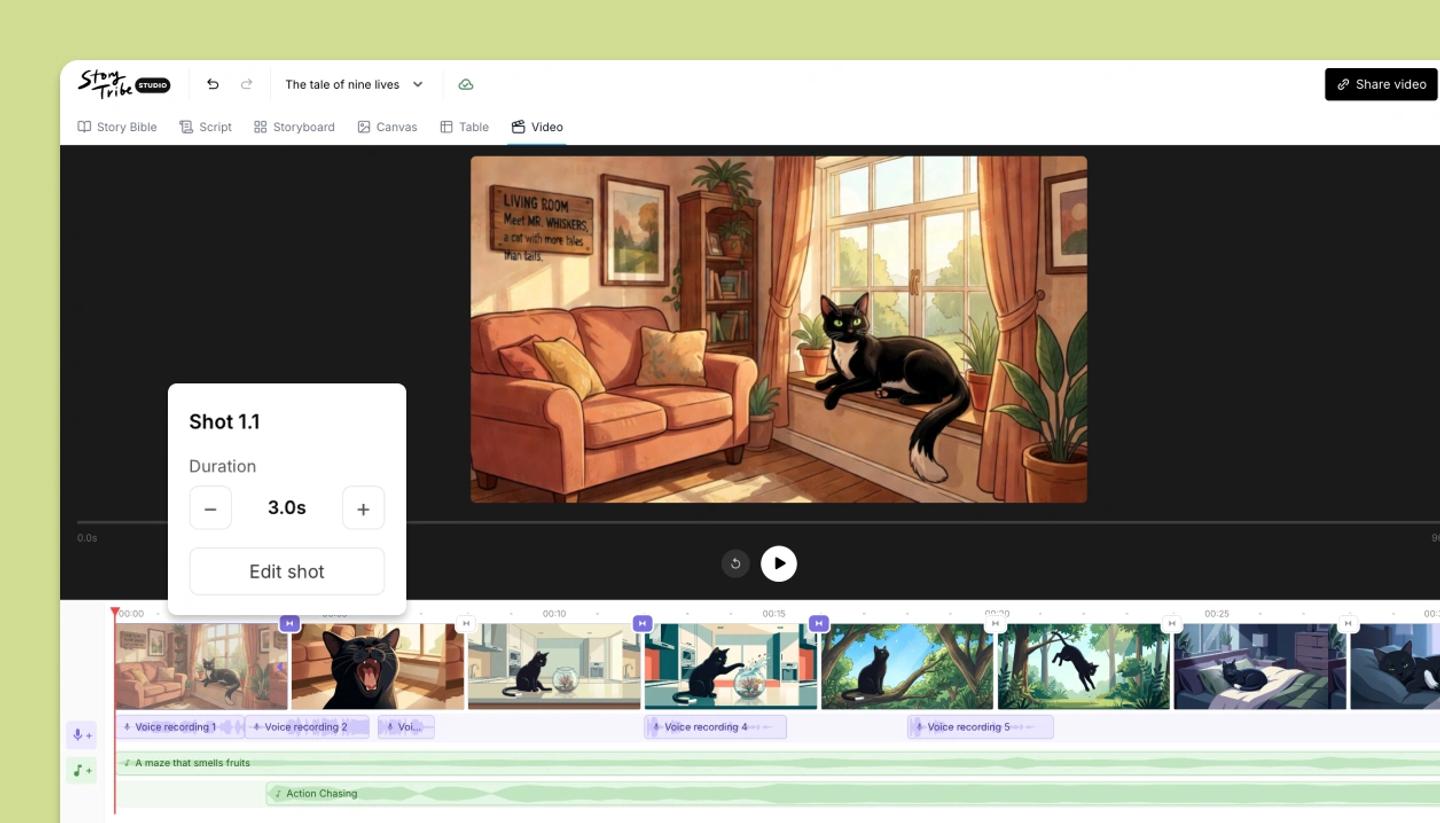
Each shot plays for 3 seconds unless you change it. Click a shot's duration chip to set it (0.5 to 30 seconds), or set a default for every shot in Video settings.
Last updated Aug 29, 2026
One shot
- In the Video view, click the duration shown on a shot, such as
3s. - Type a value between 0.5 and 30 seconds and press Enter. The Total updates.
Every shot
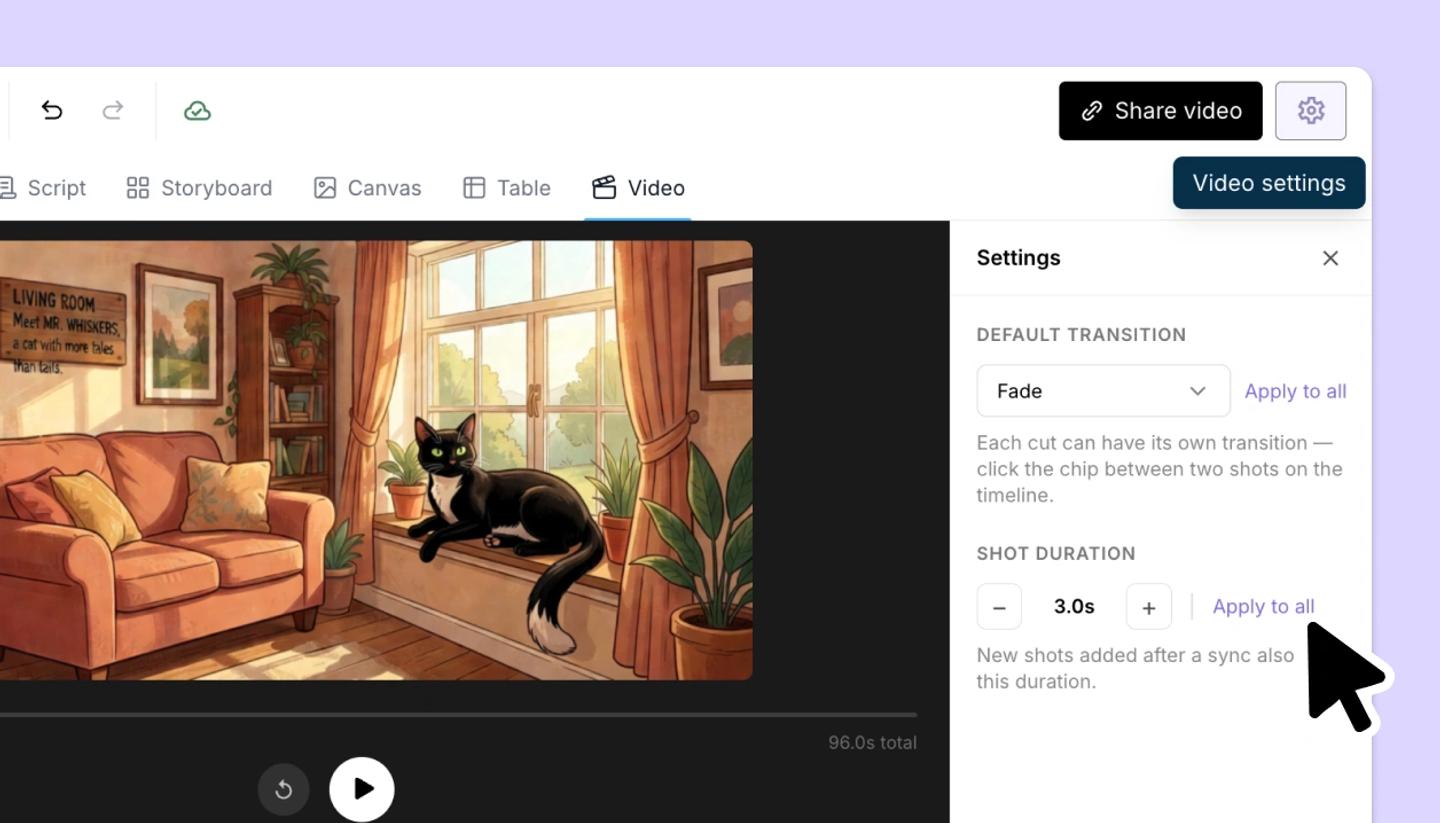
- Open
Video settings(the button in the header while the Video view is open). - Under
Shot duration, use the buttons beside the number or click it to type a value, then clickApply to all. Shots added to the video later also use this duration.
The Duration shot property in the Table is separate and doesn't drive the video; use it for the shot list and set timing here.
Was this article helpful?
Need more help?
Send us a message. We reply within 3 days, usually sooner.