Editing together in real time
In a workspace project, everyone's edits appear live. Avatars show who's in the project; a pencil badge shows what someone is typing in, and the app warns before two people edit the same thing.
Last updated Aug 29, 2026
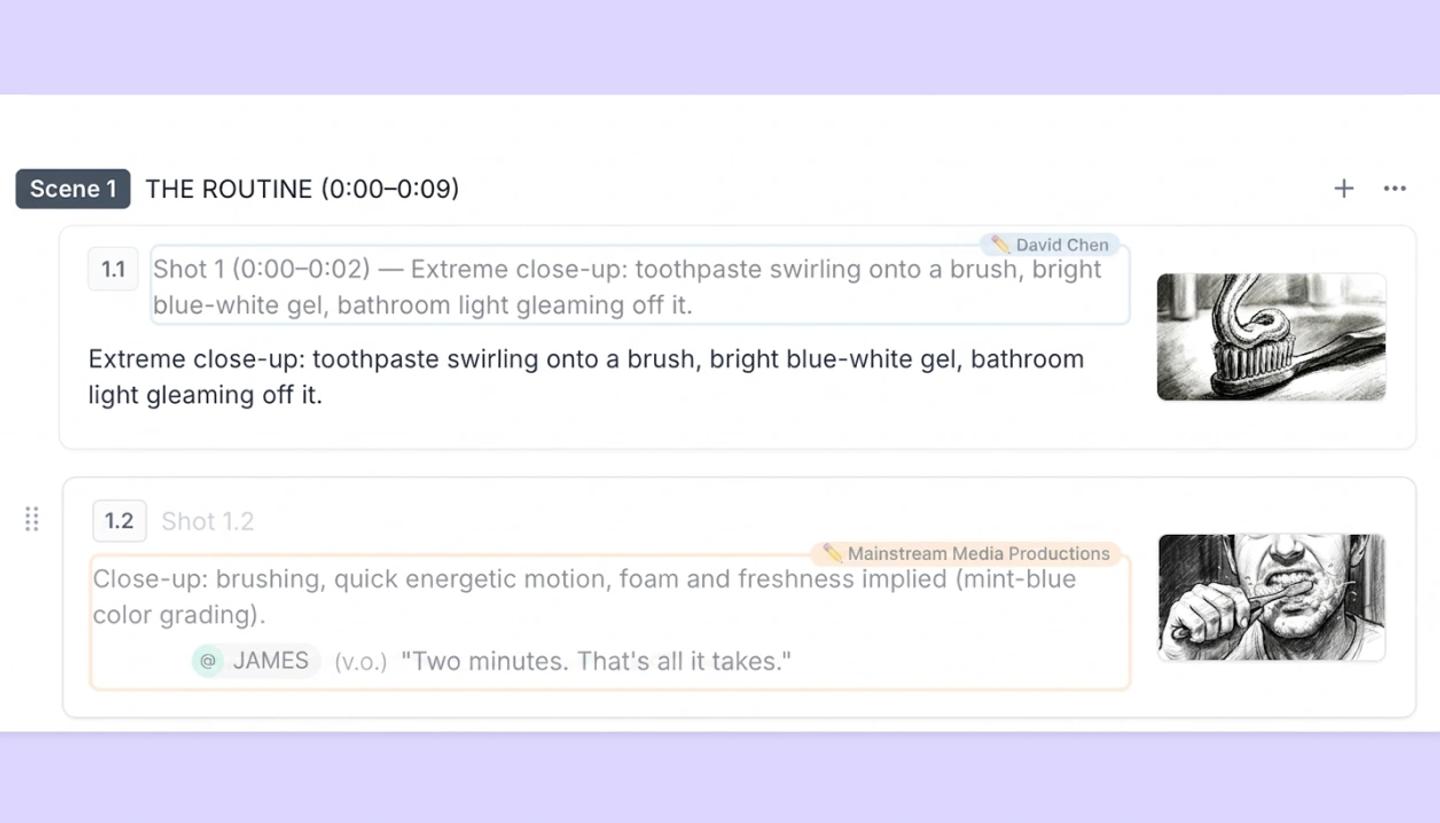
Presence
Avatars of everyone who has the project open sit in the header. When someone starts typing in a shot's script or a field, a pencil badge with their name appears on it and stays for 30 seconds after their last keystroke.
When two people edit the same thing
Nothing blocks you from editing. If you click into something a teammate is editing, you'll see a message like Ana is currently editing this shot. You can wait or carry on. Two people can change different fields on the same shot at the same time. If two people type in the same field, whoever saves last wins.
What syncs
- Script text, shot properties, canvas contents, scene and shot order, Elements, comments.
- A message appears when someone else adds or deletes something, for example Ana added a canvas or Ana deleted shot 4. If someone deletes a shot or scene you were working in, a recovery panel offers to bring it back.
- Undo is per person and per session; you can't undo a teammate's change, only make a new one.
Where it applies
Live co-editing is for projects that live in a workspace. A personal project shared with an editor still updates when they reload, but without presence, badges or live merging. The Video view is the one place that's single-editor: one person at a time, others watch.
Need more help?
Send us a message. We reply within 3 days, usually sooner.