Reading and editing the script beside your frames
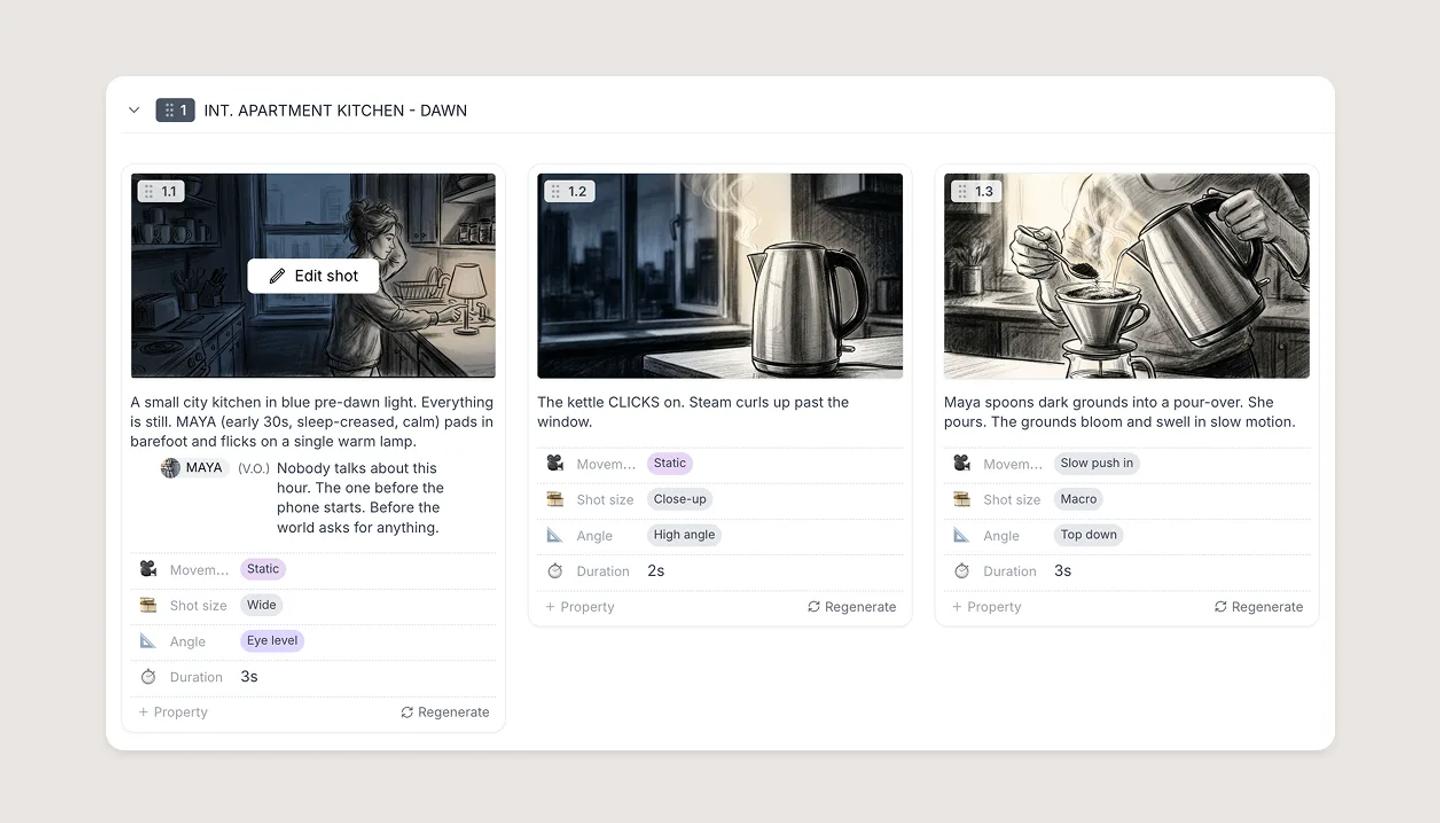
Storyboard cards carry the script under each frame, and the Canvas side panel has a Script tab for the open shot. Both edit the same words as the Script view.
Last updated Sep 12, 2026
On the Storyboard
Each card shows the first few lines of its script under the frame. Click the text and you are editing it, in place. A shot with nothing written yet reads Write the script...
How much you see depends on the layout. List, Big frames, Balanced and Compact all show script text. Overview does not: it is frames and shot numbers only.
Showing full scripts
- Click the sliders icon in the toolbar to open View settings.
- Turn on Expand text.
Cards then show the whole script instead of the first few lines. The choice is remembered in this browser, not shared with the rest of your team.
On the Canvas
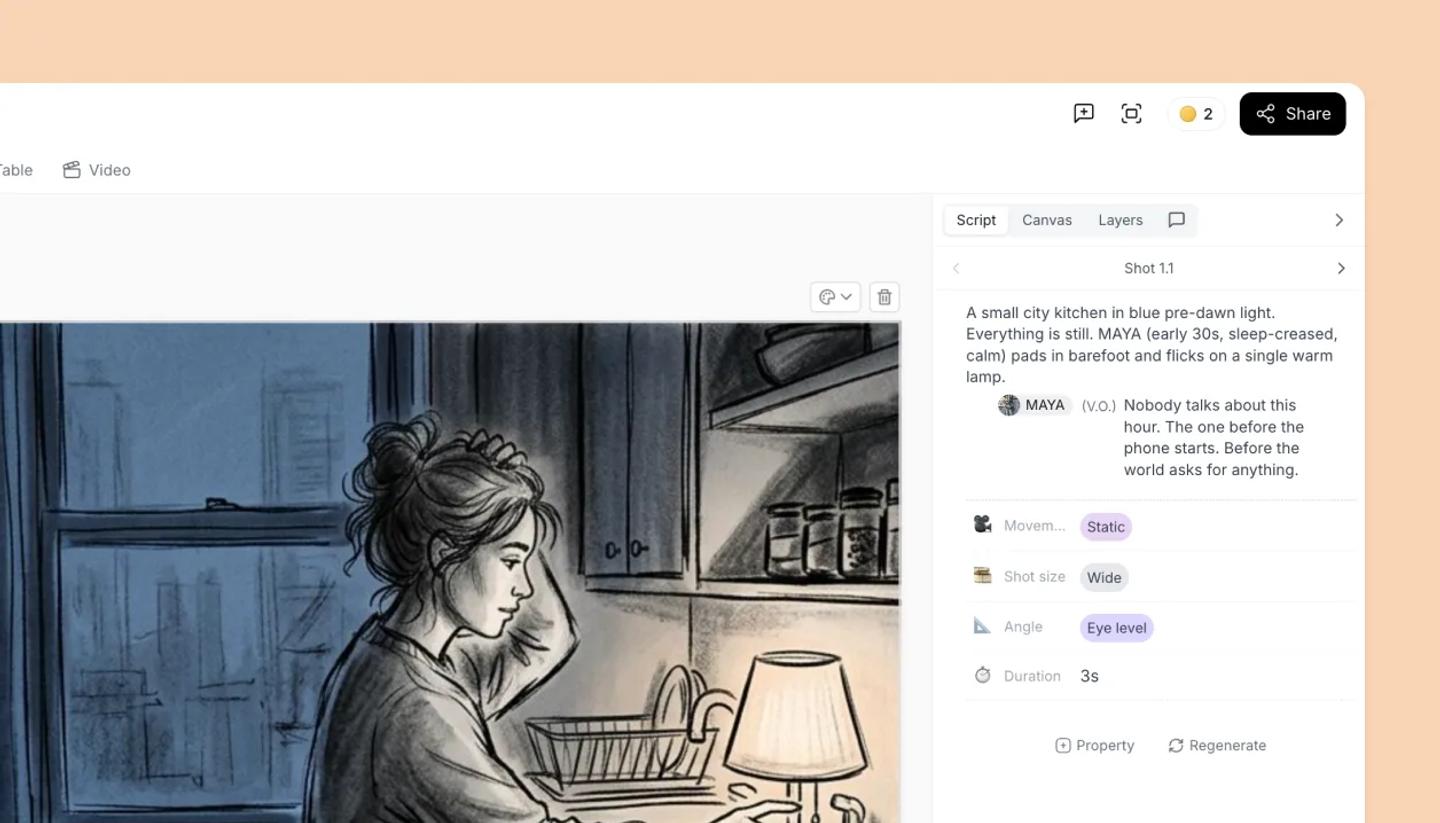
The side panel has a Script tab, alongside Canvas, Layers and Comments. It holds the open shot's script in the same editor the Script view uses, just narrower, plus that shot's properties and a Generate button.
Hide panel, the arrow at the top of the panel, folds it away to give the canvas more room. Show panel on the rail that is left behind brings it back.
View all scripts in Writer View, at the bottom of the panel, takes you to the full Script view.
Need more help?
Send us a message. We reply within 3 days, usually sooner.