Retouch, erase and relight
Retouch changes a detail from a description, Magic erase removes what you paint over, and Lighting relights the whole image. All three are Magic Edit tabs, on every device.
Last updated Aug 29, 2026
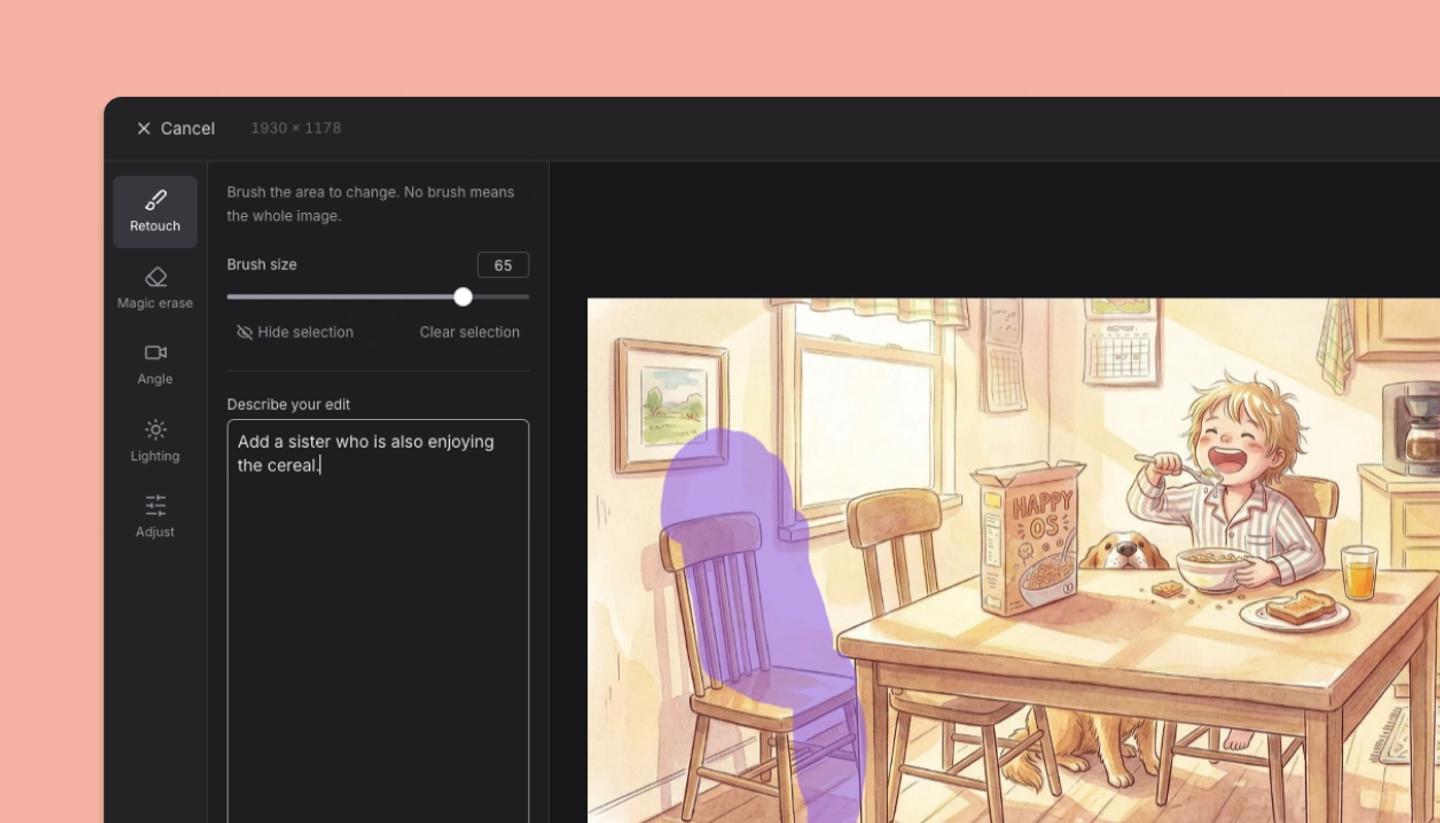
Retouch
- Select the image (or a library character) and choose
Retouchfrom its Edit menu or bar. - Describe the change in words: give him a beard, make the sky overcast, change the mug to a glass. Keep it to one change per pass.
- Click
Generate, thenDoneto apply.
Magic erase and Erase
- Choose
Magic eraseand paint over the thing to remove (a sign, a person, a wire). Generate fills the area with what the AI expects behind it. Uses AI credits. - Plain
Erasesimply makes the painted area transparent, with no AI and no credits: right for clearing a cut-out's edges.
Angle and Lighting
In the full editor, Angle redraws the image from a camera position you pick, and Lighting relights it (time of day, direction, mood). Both are AI tools, so you click Generate to run them.
Was this article helpful?
Need more help?
Send us a message. We reply within 3 days, usually sooner.