Log out of StoryTribe
Log out from Settings > open the Account tab and click Log out. It signs you out of the browser you're using; your other devices stay signed in.
Last updated Sep 11, 2026
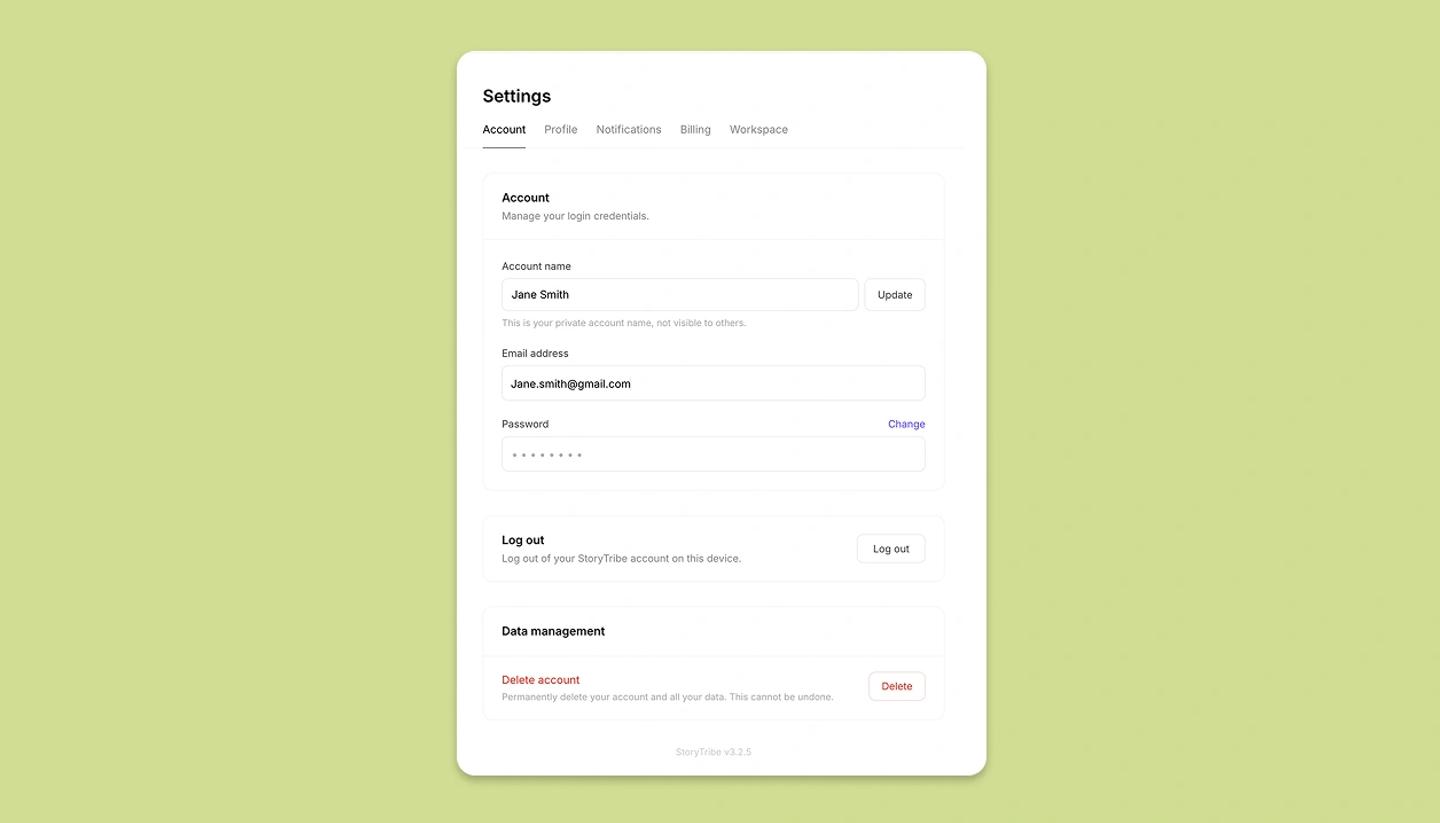
- Open Settings. On a computer, click
Settingsin the left sidebar. On a tablet, it's in the side menu. On a phone, tapMenuin the bottom bar, thenSettings. - Settings opens on the
Accounttab. Scroll down to theLog outsection (Log out of your StoryTribe account on this device). - Click
Log out. You're signed out right away; there's no confirmation step.
What logging out does
- It signs out only the browser you're using. Other computers, tablets and phones where you're signed in stay signed in.
- Your projects stay in your account. Sign in again on any device to pick up where you left off.
Log out of every device
There's no single button that logs out every device. If you sign in with email and password, changing your password signs your other devices out, though not instantly: each one keeps working until its current session expires, which can take up to an hour. See Change your password.
Google accounts have no StoryTribe password, so this route doesn't apply to them.
Was this article helpful?
Need more help?
Send us a message. We reply within 3 days, usually sooner.