Script blocks: Action, Dialogue, Caption, Note and Lyric
A shot's script is a stack of text blocks. Action is the default; Dialogue has a speaker; Caption is on-screen text; Note is a production note; Lyric is a sung line.
Last updated Aug 29, 2026
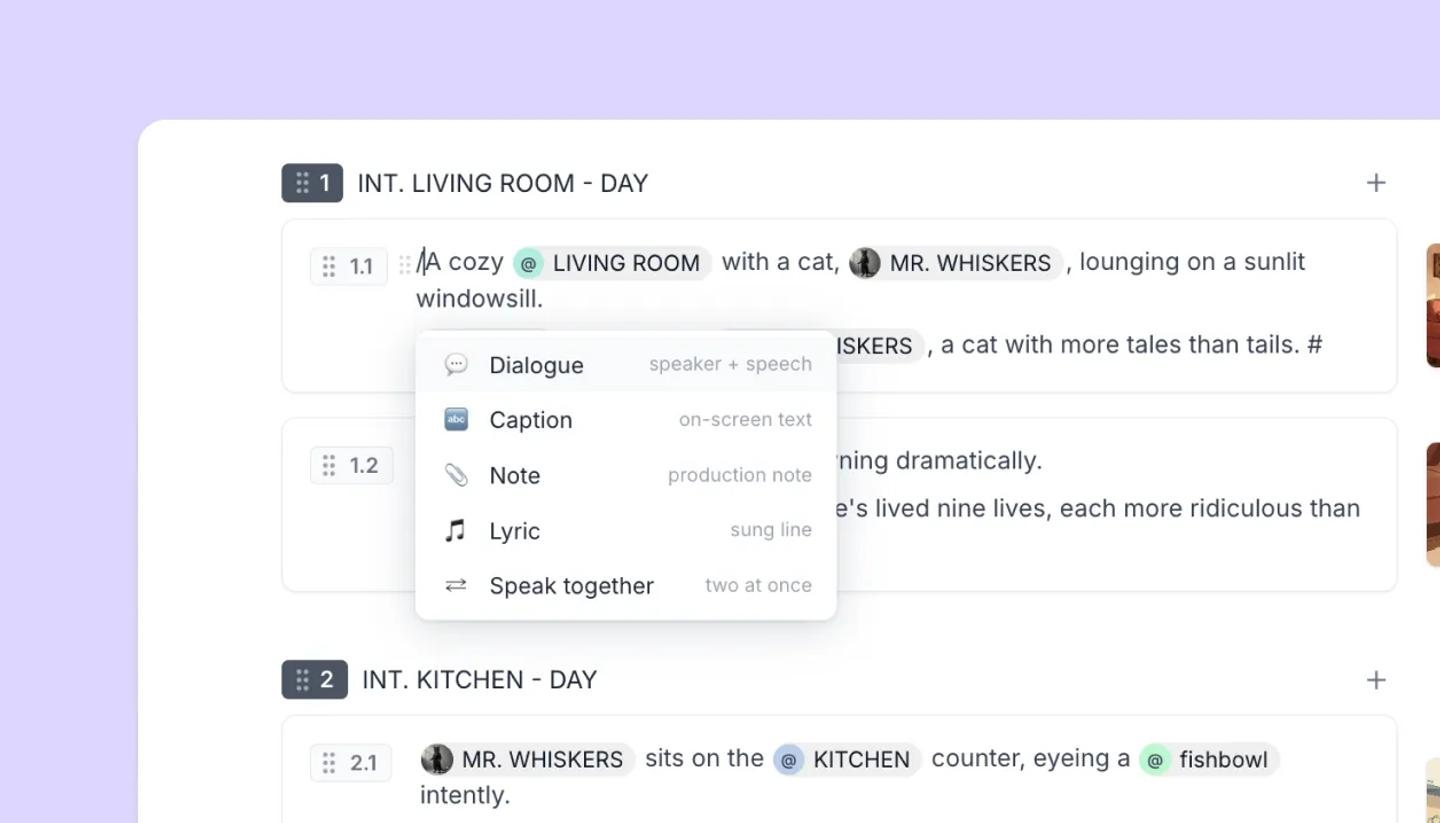
The five types
Action: what happens. The default for anything you type.Dialogue: a speaker and their line. The speaker is an element (@mention), so it carries a picture and stays consistent; an extension dropdown adds (V.O.), (O.S.) or (CONT'D).Caption: on-screen text such as a title card, super or subtitle.Note: a production note, shown on amber. Notes are not read aloud by voice-over and are kept out of the screenplay body.Lyric: a sung line with no particular singer. A character who sings is a Dialogue row marked as lyric.
Making and changing blocks
- Enter starts a new Action block. Type / on an empty line to choose Dialogue, Caption, Note or Lyric from the menu.
- Type a name in capitals (or NAME:) on its own line and it becomes a Dialogue row. Pressing
Tabon an action line does the same. If you paste text where speaker names are written as plain lines, you'll see Speaker names written as text found. - The grab handle on the left of any block opens
Turn into(Action, Dialogue, Caption, Note, Lyric),Color,DuplicateandDelete; drag it to reorder, or use ⌘ Shift ↑/↓.
Two people speaking at once
On a dialogue row, the / menu offers Speak together: the next dialogue row sits side by side with it (dual dialogue in Final Draft). Unpair splits them; the pair moves as one when you drag.
Was this article helpful?
Need more help?
Send us a message. We reply within 3 days, usually sooner.