Get your storyboard into Google Slides or Keynote
PowerPoint export is on paid plans. Export the deck from the Export dialog, then open it in Google Slides or Keynote. The slides are 16:9, with editable text and one picture per frame.
Last updated Sep 12, 2026
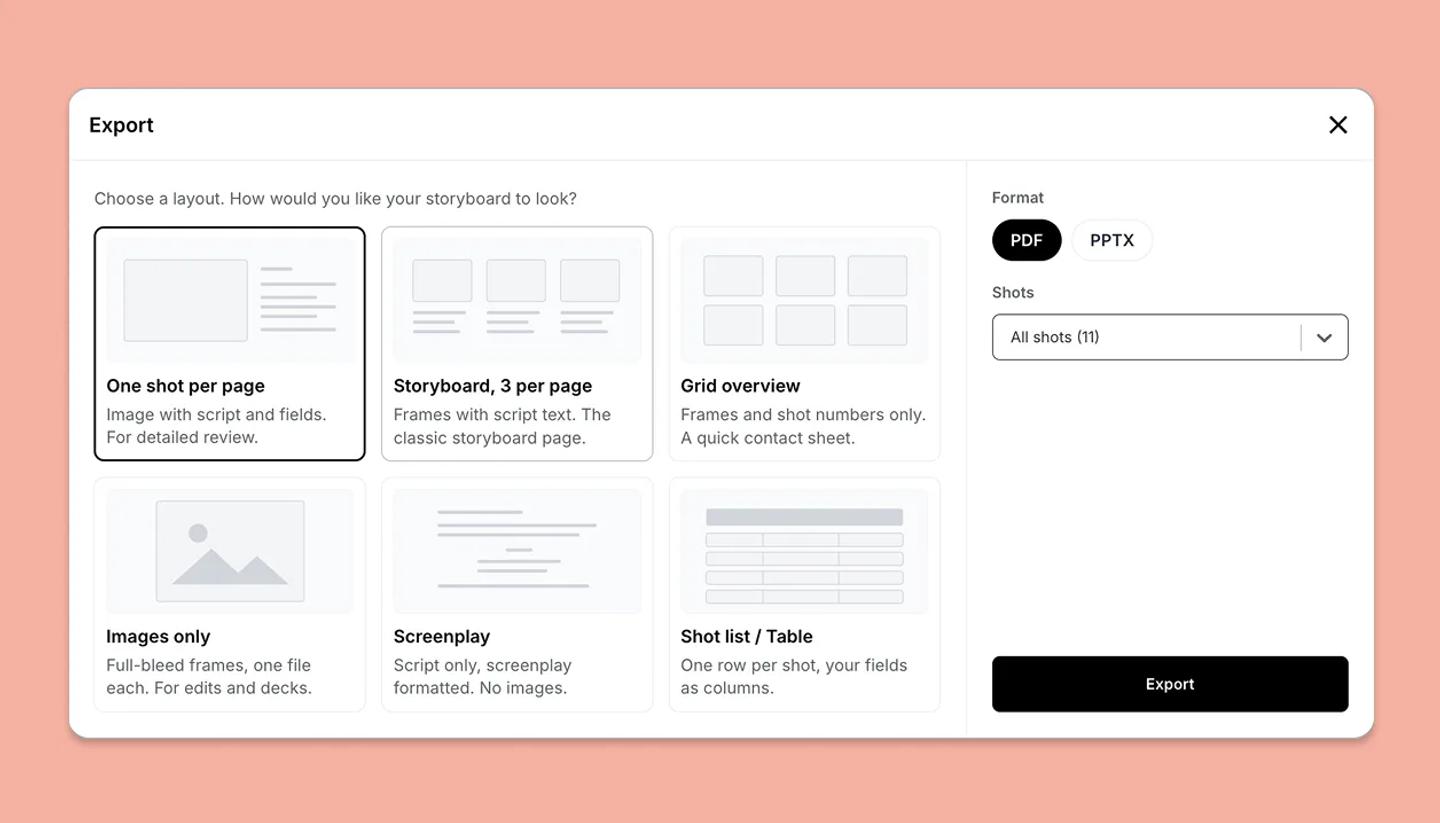
- In the editor, click
Shareat the top right, then theDownloadtile. - Pick a layout:
One shot per pageputs one frame on a slide with its script and fields beside it,Storyboard, 3 per pageputs three frames on a slide with text beneath, andGrid overviewgives frames and numbers only. - Under
Format, choosePPTX. - Under
Shots, keepAll shotsor set a shot range. - Click
Export. The .pptx file is named after your project. - Open it. In Google Slides, upload the file to Google Drive and open it there, or import it into an existing deck. In Keynote, open the .pptx file and Keynote converts it.
What the deck contains
- Slide size. 16:9 widescreen. A 4:3 or vertical frame is fitted inside the slide with space around it, rather than the slide changing shape.
- Text. Real text boxes in Arial. Bold, italic, underline, strikethrough, color and highlight are all kept, so you can restyle after importing.
- Fields. Each field label prints in bold before its value. Image fields are left out of decks.
- Frames. Each frame is a separate picture with a faint border. A shot with no frame yet shows a light gray placeholder.
- Scenes. When your project uses scenes, each scene opens with its own title slide, and a scene that starts a section gets a chapter slide first.
- What is not there. No project title slide and no speaker notes. Lines spoken at the same time are marked (spoken together), since a slide cannot stack dialogue side by side.
- No shot limit. PPTX is not bound by the 30 shot limit which only applies to full quality image exports, so a long board comes out in one file.
Related articles
Download your storyboard (PDF, PowerPoint, PNG)Was this article helpful?
Need more help?
Send us a message. We reply within 3 days, usually sooner.