Delete a project
Choose Delete from the project card menu or the editor's title menu, then confirm. If you change your mind, click Undo in the message that appears. You have ten seconds.
Last updated Aug 29, 2026
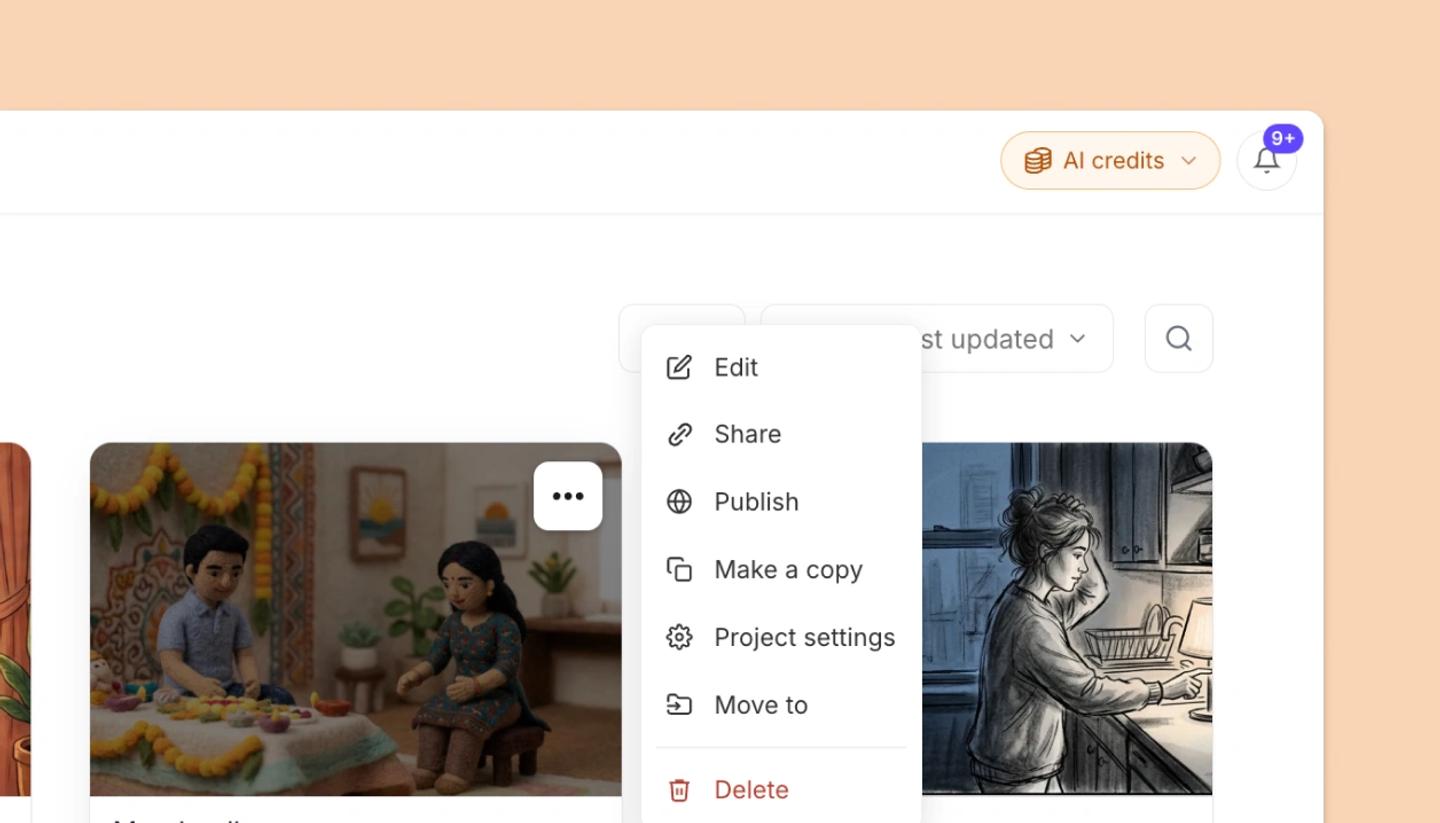
- Open the project card's menu on the Projects page or Home and choose
Delete, or in the editor click the title and chooseDelete. - In
Delete this project?, clickDelete. If someone else has it open, the dialog warns that their unsaved changes will be lost and the button readsDelete anyway. - A
Project deleted.message appears for ten seconds with anUndolink. Click it to bring the project back.
Only the project's creator, or a workspace Owner or Admin, can delete a project. People you had shared it with lose access at the same time.
Related articles
Duplicate a project (Make a copy)Was this article helpful?
Need more help?
Send us a message. We reply within 3 days, usually sooner.