Feature availability by device
Almost everything works on desktop, tablet and phone. This is the short list of what is desktop and tablet only, and what phones do differently.
Last updated Aug 29, 2026
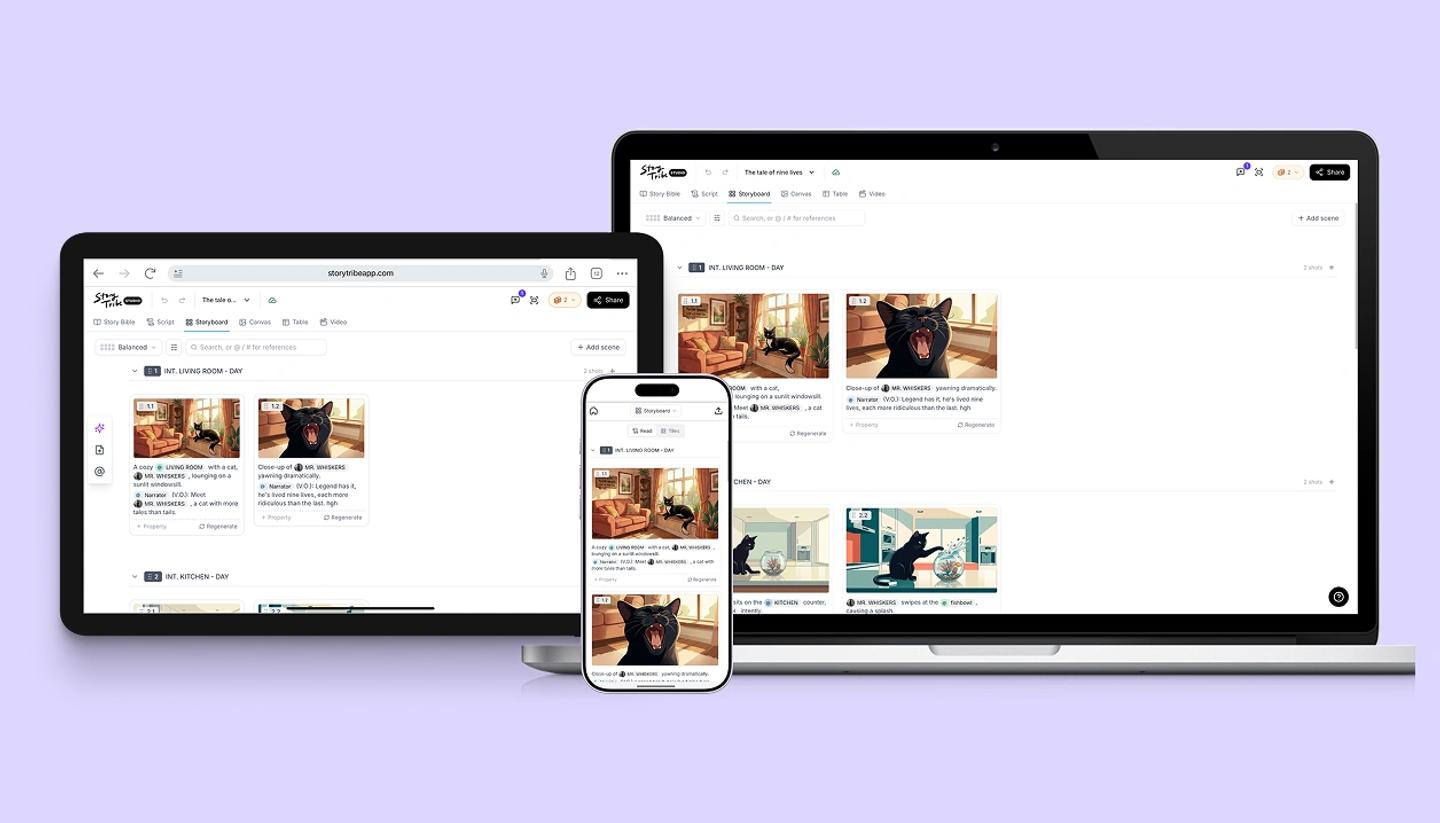
StoryTribe runs in the browser on all three kinds of device. Tablets get the same desktop editor with a narrower sidebar; phones get a separate editor built for a small screen. Here is what that means feature by feature.
On every device
- Creating a project.
- The Story Bible, Script, Storyboard, Canvas and Video views.
- Canvas editing: characters, the pen, text, search, Elements, multi-select, layer order, undo and redo.
- Tribe AI image generation, the image adjustments, and Magic Edit (phones get Retouch, Magic erase, Angle and Lighting).
- The Video editor with music, voice-over and transitions. MP4 download is on paid plans.
- Sharing a project you can edit, and publishing personal projects. On any device, workspace projects can't be published to the community; they deliver through Share and export instead.
Desktop and tablet only
- Table view (the shot list).
- Remove BG, Expand and Split into layers in Magic Edit.
- Comments. A comment link opened on a phone shows: Open the project on desktop to view comments.
- Custom canvas sizes (paid plans).
- Keyboard shortcuts.
Different on a phone
- Team projects with two or more editors open as view only, with the banner Team project · View only on mobile and the line Edit this project on your computer. A workspace project that only you can edit still opens for editing.
- Views live in a dropdown under the header instead of a row of tabs, and the tools sit in a bar at the bottom of the screen.
Common questions
Related articles
Using StoryTribe on mobile and tabletWas this article helpful?
Need more help?
Send us a message. We reply within 3 days, usually sooner.