Notifications
The bell in the app header collects likes, comments, replies, mentions, new followers, saves and workspace activity. Settings › Notifications turns each kind on or off.
Last updated Aug 29, 2026
Click the bell for the latest notifications, or open Notifications from the side menu for the full list (the newest 20). Each one links to the project, comment or profile it's about.
What you're told about
- Someone liked, commented on, replied to or saved your published project.
- Someone mentioned you in a comment, or started following you.
- Workspace activity: someone joined your workspace, shared a project with you, or restored something that had been deleted.
Settings
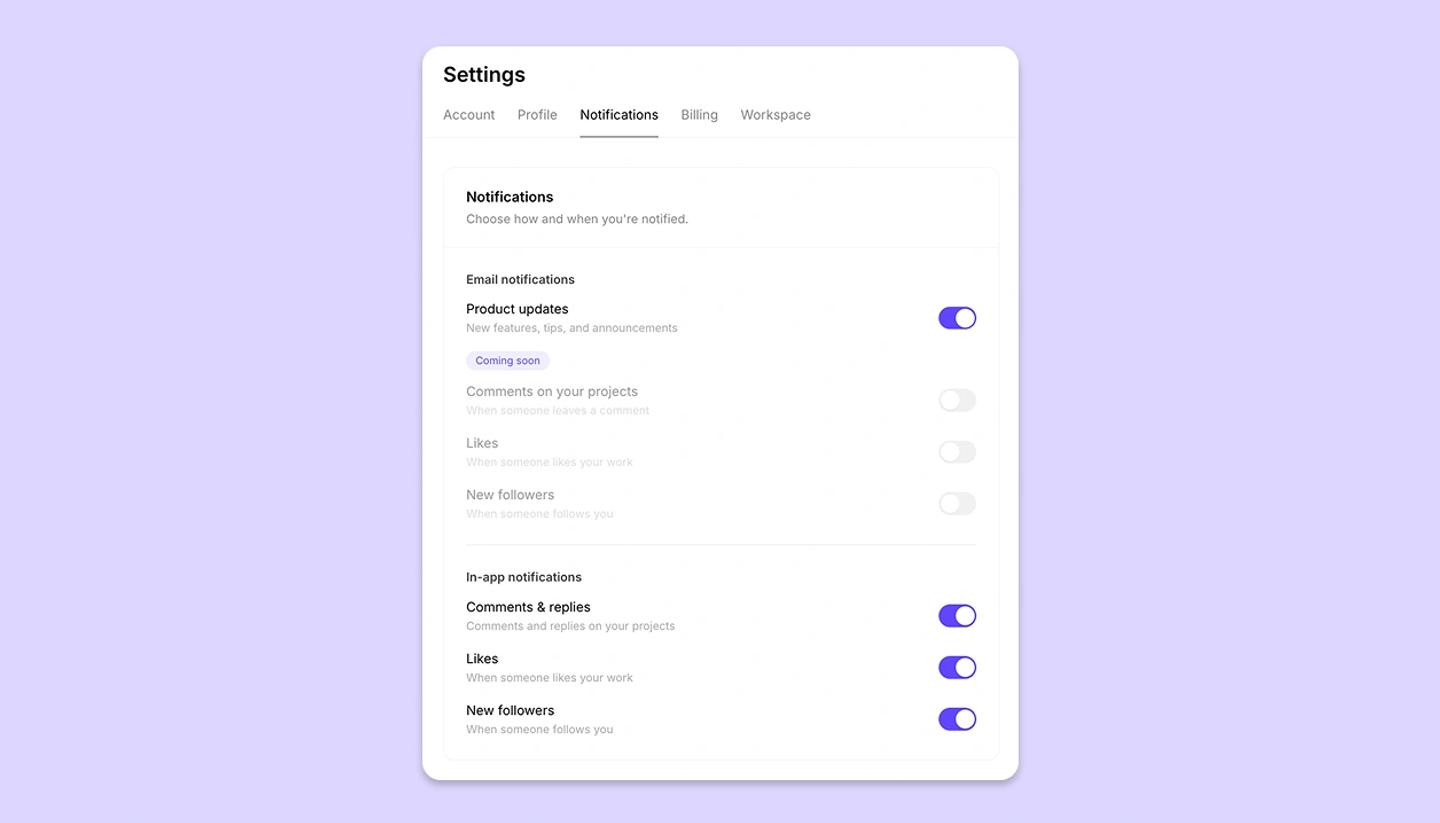
In Settings › Notifications, the in-app toggles are Comments & replies, Likes and New followers. For email, Product updates is the one live switch; email for comments, likes and followers is marked Coming soon.
Related articles
Comments and mentionsWas this article helpful?
Need more help?
Send us a message. We reply within 3 days, usually sooner.