🪄 Image Prompting via Tribe AI
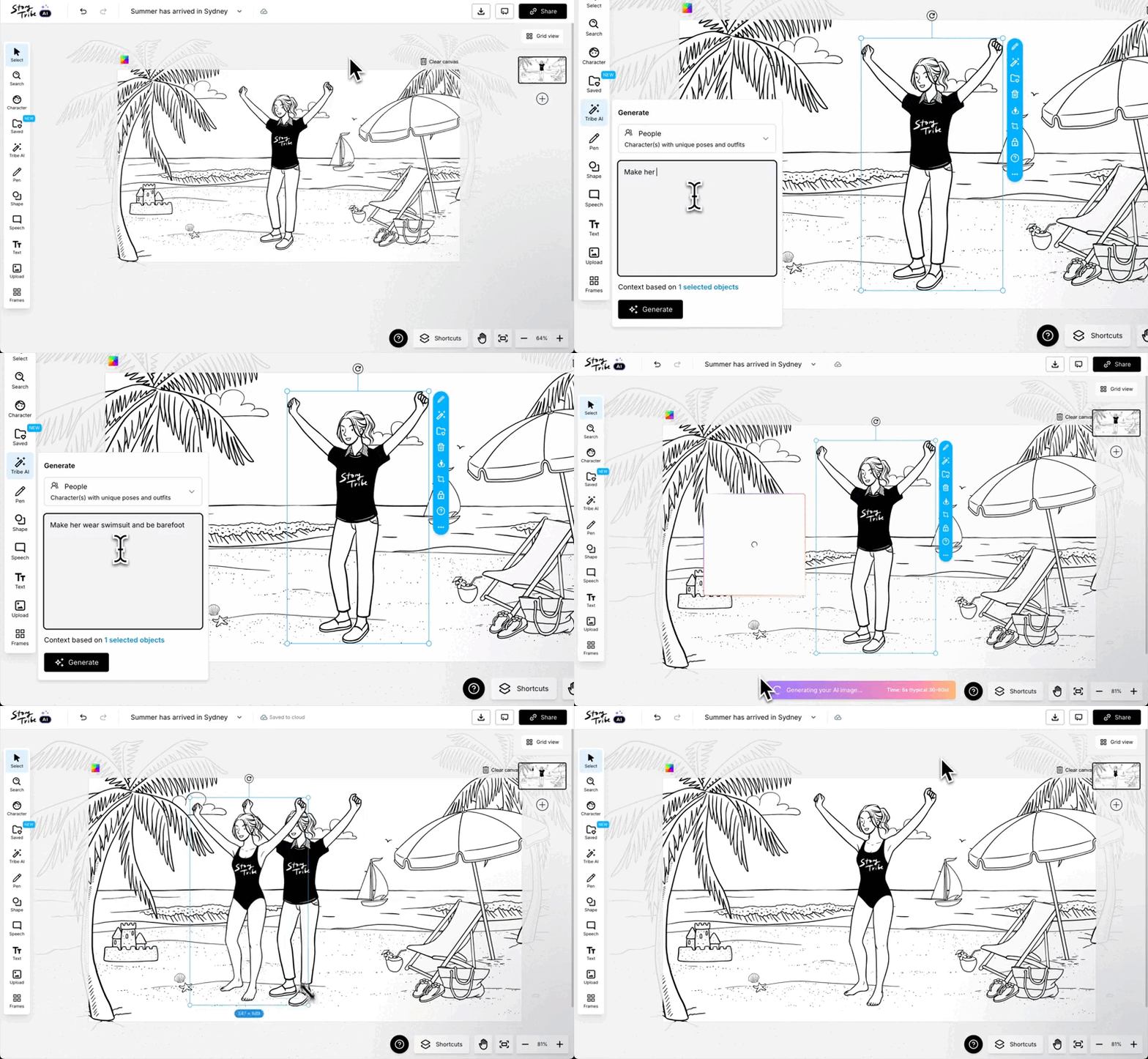
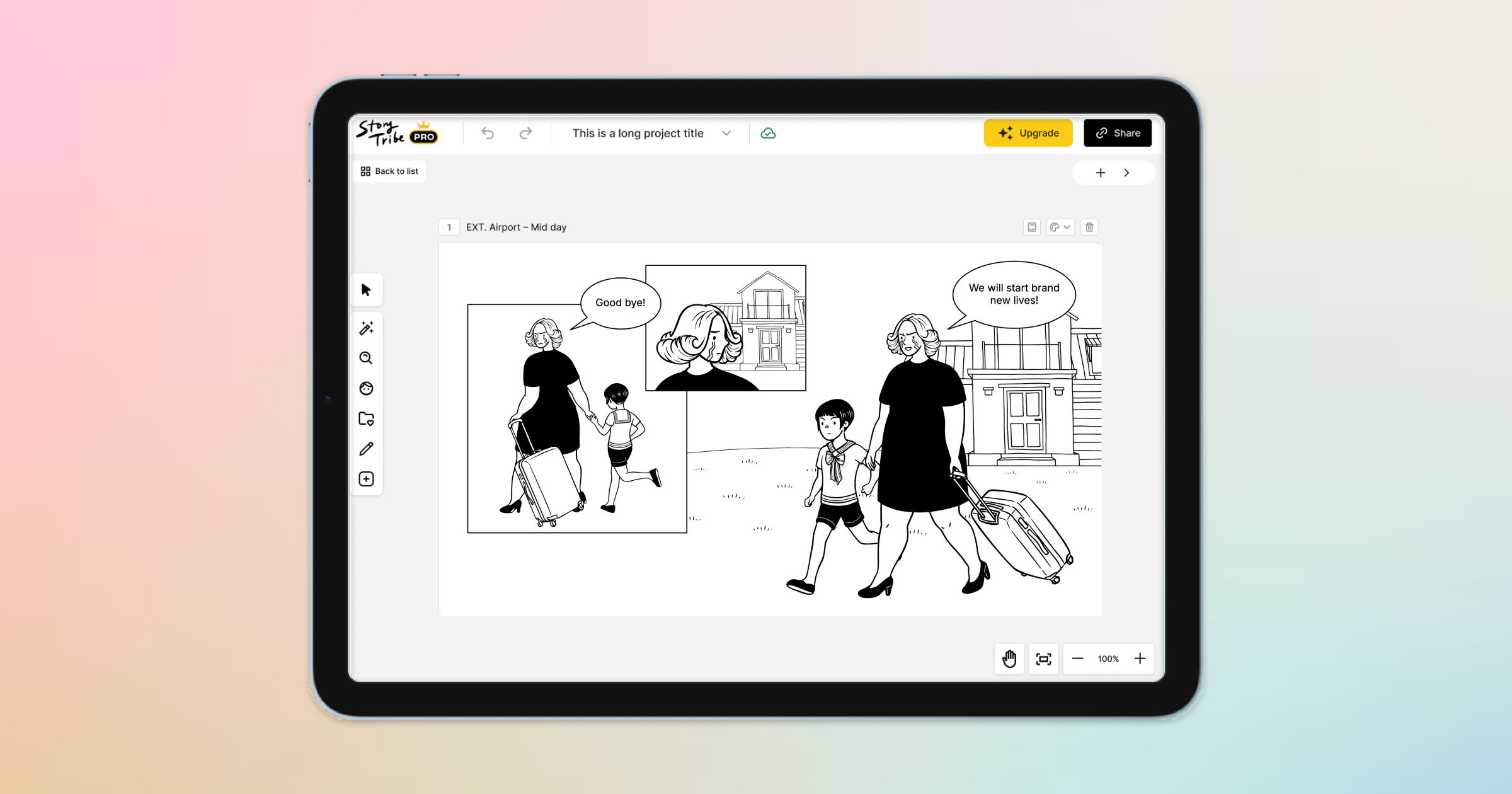
Use both images and text as prompts. Select any objects on your canvas and instruct the AI to modify details like character outfits or poses.
How it works:
- Select one or more objects on your canvas
- Click “Edit with Tribe AI”
- Write a prompt describing what and how you want it edited
- e.g. “Make this character hold a bowl of cereal”
- e.g. “Change this outfit to a swimsuit”
- Hit Generate — and your objects update instantly
Perfect for quick adjustments, variations, and last-minute fixes without breaking your workflow.
Create → Edit → Keep flowing. Tribe AI does the heavy lifting.
Why it matters:
- Edit on the spot
Refine any image objects with prompts and create variations. - Use immediately
Drag, resize, rotate, and place your AI images straight into your storyboard. - Stay in your creative flow
Everything happens inside the canvas. No tab-switching. No file-uploading. No friction.
💾 Save your items
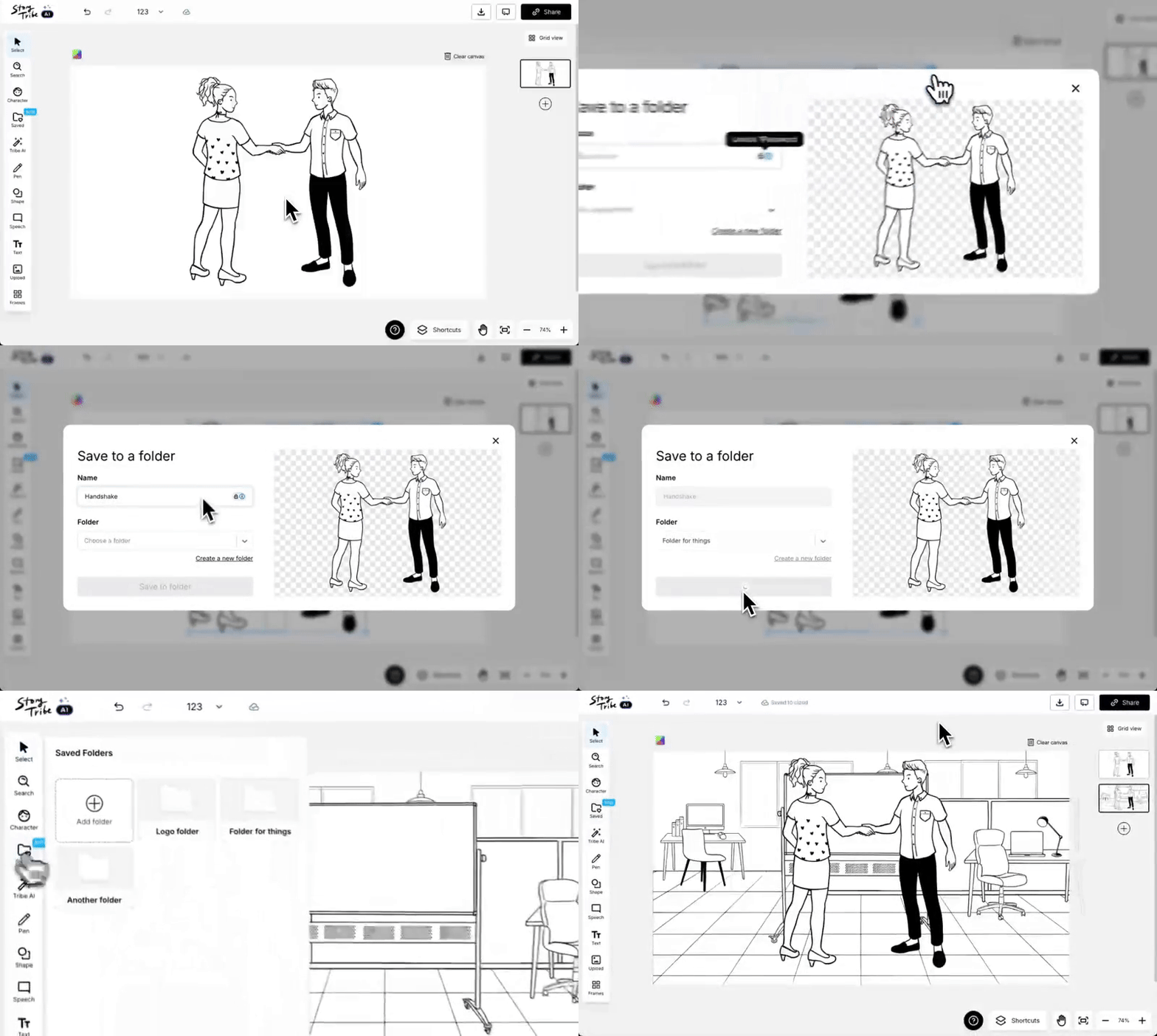
Save your own characters and templates to organized folders for quick reuse. You can also save company logos, your own sketches, and more.
You can now save and organise all your assets, including:
- Company logos
- Templates
- Characters & props
- AI-generated images
- Your own sketches and image uploads
- Anything you use frequently
How it works:
- Click Save to folder in the blue bar on any item
- Choose a folder or create a new one
- Access all your saved items anytime from 'Saved items' in the menu toolbar.
- Drag, drop, and reuse in any project
Why it matters:
- Use assets across all projects — no more downloading, re-uploading, or copy-pasting
- Keep everything organised with custom folders
- Build your own library of go-to items
- Speed up your workflow by accessing your saved assets instantly from any project.
🔎 Character assets search
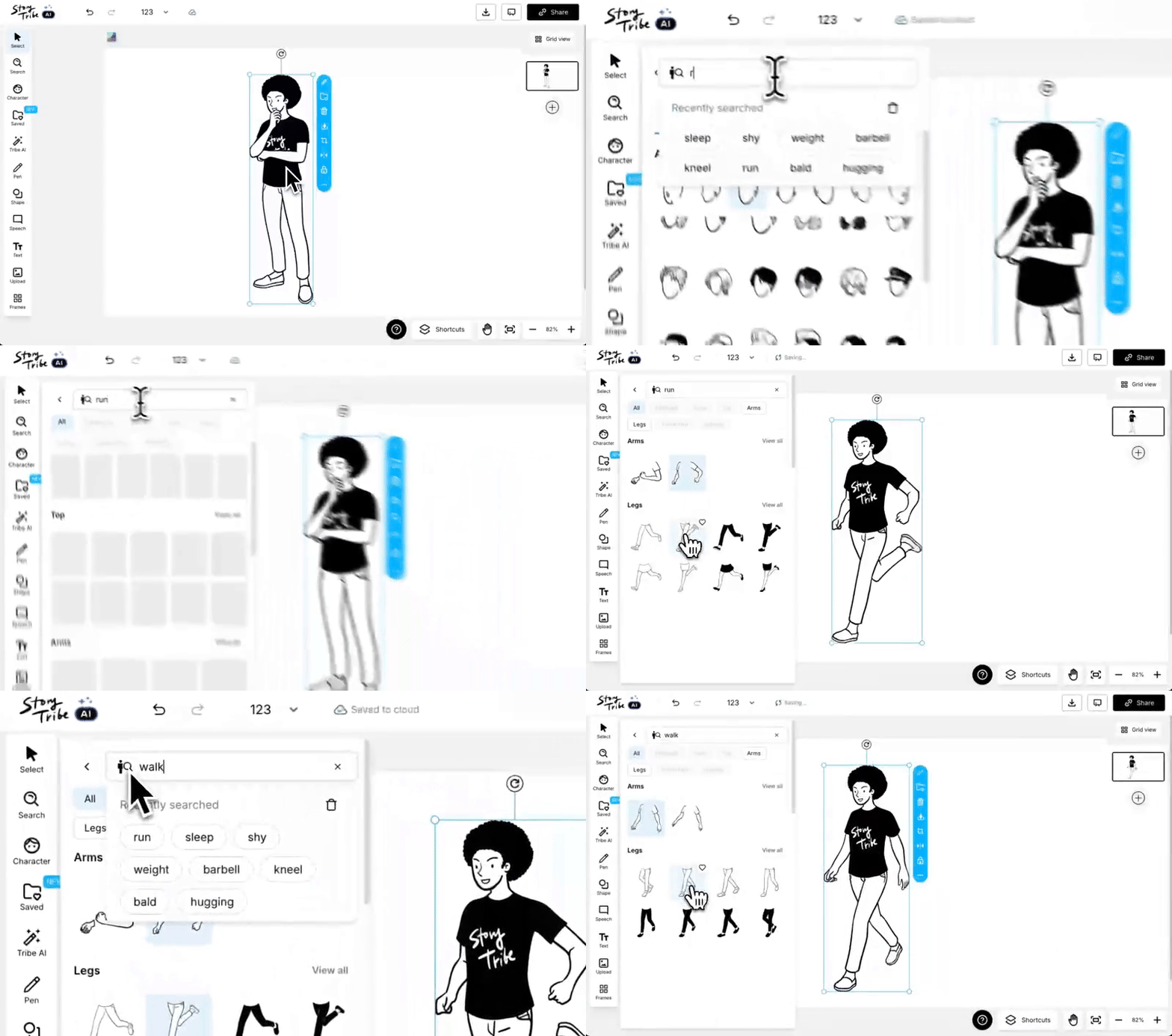
Find the exact character assets you need quickly. Use the improved search and filters to quickly browse expressions, poses, and outfits.
What you can now search for:
- Facial expressions: happy, angry, surprised, sad, confused, etc.
- Hairstyles: long, bob, ponytail, fringe, curly, bald, etc.
- Arm gestures: waving, crossed arms, handshake, pointing, holding, etc.
- Leg movements: walking, running, sitting, jumping, etc.
- Outfits & occupations: doctor, construction worker, business, uniforms, etc.
- Accessories: glasses, hats, bags, facial hair (beard, moustache), etc.
New Filters (super practical):
Refine your search even further with filters like:
- Arms: short sleeve / long sleeve
- Bottoms: skirt / pants
- Hairstyles: short / long / bald / headwear
Why this matters:
- Find the exact character look or gesture you need in seconds
- Keep visual consistency across storyboards
- Build scenes faster without digging through every asset
- Perfect for film, animation, agencies, and education teams who need precision
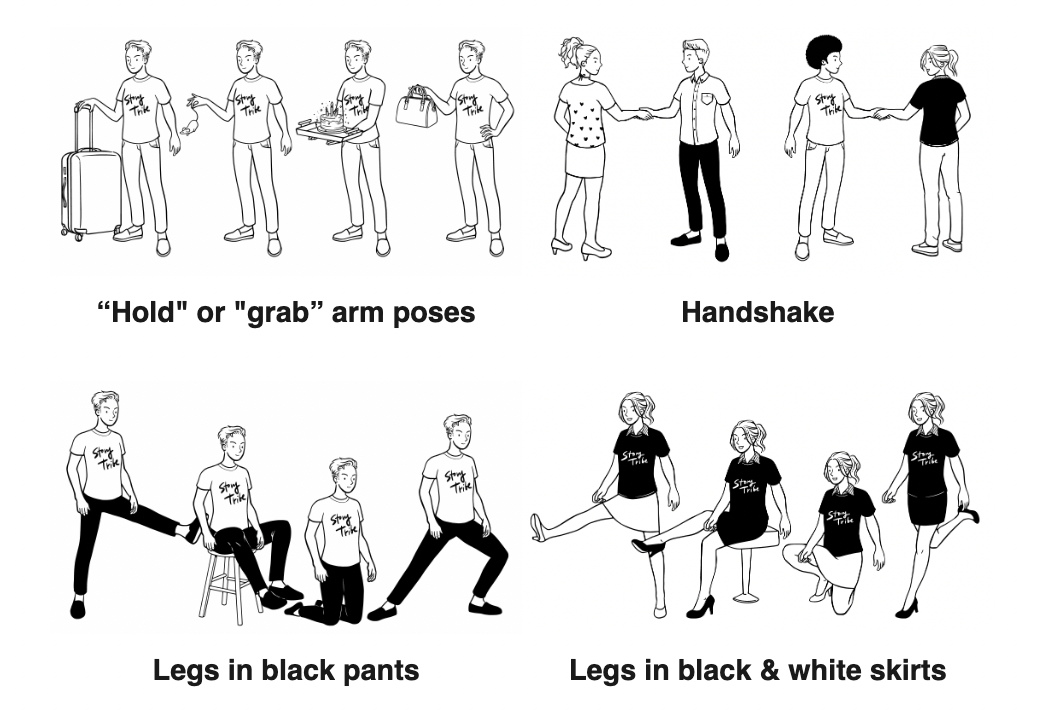
We also added some new poses:
Happy storytelling!
New to StoryTribe?
-> Start with our free storyboard maker